
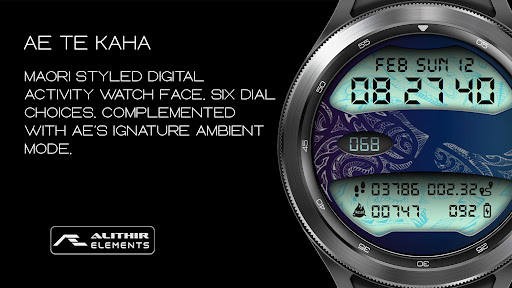
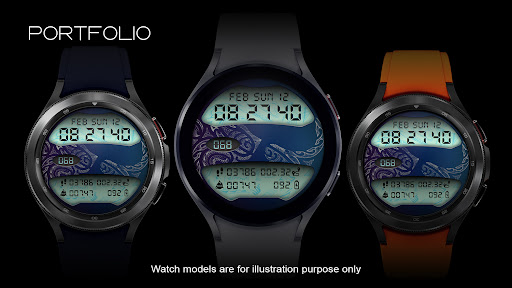
Maori styled digital health activity watch face made for the active.
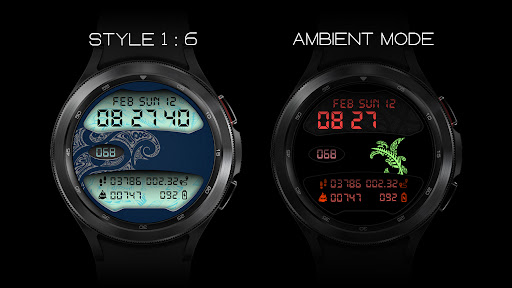
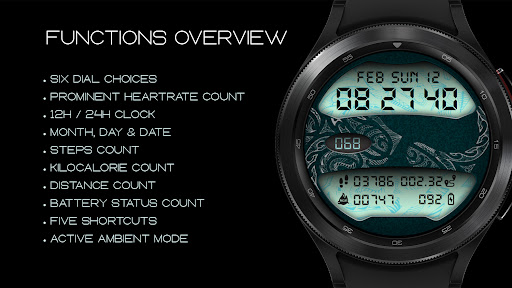
Six dial choices complemented with a cool Always ON Display.FUNCTIONS OVERVIEW• Six dial choices• 12H /24H Digital Clock• Month, Date, and Day • Heartrate count• Steps count• Kilocalorie count• Distance count• Battery count• Five shortcuts• Always ON DisplayPRESET SHORTCUTS• Calendar (events)• Alarm• Message• Refresh Heartrate*• Dark modeRefer to the ‘SHORTCUT’ screenshot to locate the shortcuts.
By tapping on the ‘Dark mode’ shortcut, the watch will switch over to a blacked-out dial.
REFRESH HEART RATEThe refresh heartrate shortcut has been tested on Galaxy Watch 4 and Watch 4 Classic.
During installation, allow access to sensor data on the watch.
Place the watch firmly on the wrist and wait a moment for the app to initialize the heartrate orTap on the indicated shortcut to jump-start the sensors for the first time, and give it a moment for the sensors to do their work.
The Heartrate will indicate the current heartrate (bpm) when the measurement is completed, approximately between 3 – 10 seconds.
Subsequent refresh takes 3 – 5 seconds.ABOUT THIS APPUpdated API Level 30+ with target SDK 33.
Built with Watch Face Studio powered by Samsung, as such this app will not be discoverable on Play Store if accessed via some 13,840 Android devices (phones).
If your phone prompts "This phone isnt compatible with this app", ignore and download anyway.
Give it a moment and check your watch to install the app.
Alternatively, you may browse and download from the web browser on your personal computer (PC).
https://andro.io/app/kaha02

Android app profile
AE TE KAHA for Android – Latest Version & Features
by Alithir Elements (Malaysia)
Power 100
Rate this app
How do you feel about AE TE KAHA?
Thanks for your feedback!
> 2.2k
Monthly Downloads
~$900
Estimated Cost
Screenshots




