
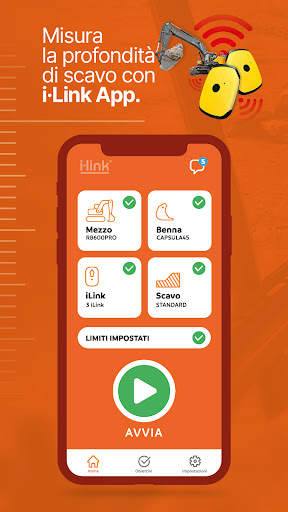
iLink device is the App that, associated with your devices, allows you to receive information on the excavation depth of an earth-moving machine in real time.Connect via Bluetooth to the devices, perform the calibration and start digging.Instantly receive information about your excavation such as:• Digging Depth Measurement: Receive digging depth relative to the track plane in real time• Digging distance measurement: receive in real time the distance from the tip of the bucket to a 0 point• Alert notification for exceeding limits: By providing the system with a maximum height or a maximum depth, you get an audible and visual alert in case of exceeding this limit• Guidance in grading mode: By giving the system specific instructions with respect to the desired inclined plane, you will be visually guided to create the grading• Connection with Remote Live Desktop: send and store excavation data on a dedicated server and monitor the progress of the work from your office• Receive notifications and goals: receive notifications and goals directly from the office to be achieved directly on your vehicle• Geolocate: receive information on the position of your vehicle-------------------------------------------------- -----------------------------Follow the steps below:1.
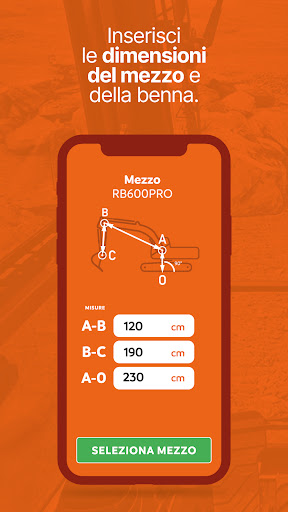
Enter the correct dimensions for your vehicle2.
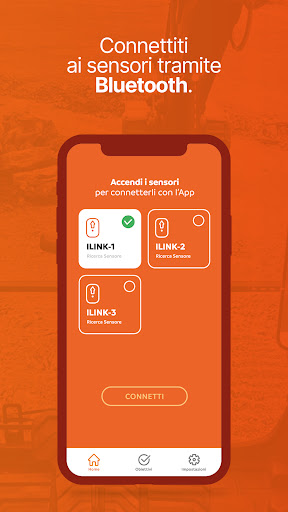
Turn on the devices.
The App will connect automatically3.
Position yourself in calibration as shown and click "Calibrate"4.
Begin your digging-------------------------------------------------- -----------------------------Using i-Link on your construction site:- Improve the safety of your construction sites- Detect the data with greater precision- Reduce the number of workers near the excavation site, with a net reduction in the hourly cost- Reduce digging times-------------------------------------------------- -----------------------------
https://andro.io/app/ilink-1338q
 Power 100

Android app profile
iLink Device for Android – Latest Version & Features
by EDILMAG srl
★★★★★
(0 ratings)
Rate this app
How do you feel about iLink Device?
Thanks for your feedback!
> 2.2k
Monthly Downloads
~$900
Estimated Cost
Screenshots









