
Import Excel and other financial files to HandWallet Expense Manager.Expenses Import plugin is a small addon that lets you import financial transactions in Excel, OFX, QFX, QIF, IIF and other formats to HandWallet Expense Manager.
Using the "Expenses Import plugin" app you will be able to import your bank and credit card statements from different sources and manage all the transactions in one place.
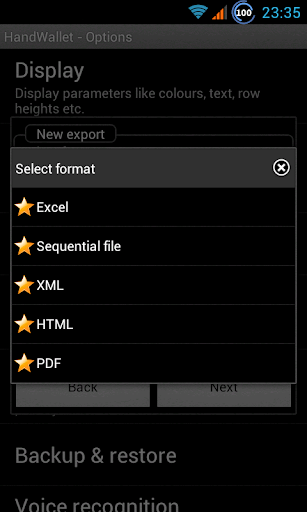
In order to use this app you must install first HandWallet Expense Manager.Support formats:Excel - including XLS, XLSX, XML and CSVOFX – Open Financial ExchangeQFX - Quicken / QuickBooksQIF - Quicken / Microsoft MoneyIIF - Intuit Interchange FormatAnd more...If your bank statement is not supported send it to us and we will add it next version.How to work with Expenses Import plugin?1.
Select the file or folder you want to import.
This can be done simply by pressing the file and select "open with HandWallet".
You can also press any relevant file in your Gmail, Google drive or Dropbox.2.
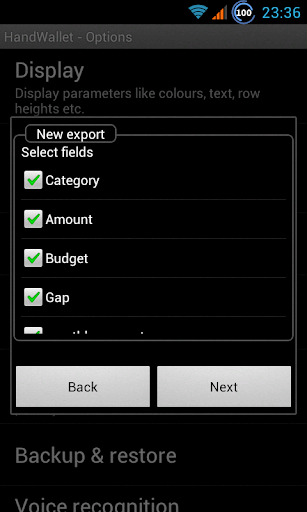
The app will try to identify the fields in the file.
Complete fields that the app didn’t recognize, for example expenses date, expenses currency, expenses account etc.
Map categories and accounts if needed.3.
Finally, if not specified in the file, select the HandWallet target account.New transactions will load to HandWallet Expense Manager and marked in yellow (optional).
https://andro.io/app/ie-w1w6
 Power 100


Android app profile
Expenses Import plugin for Android – Latest Version & Features
★★★★★
(0 ratings)
Rate this app
How do you feel about Expenses Import plugin?
Thanks for your feedback!
> 2.2k
Monthly Downloads
~$900
Estimated Cost
Screenshots









