
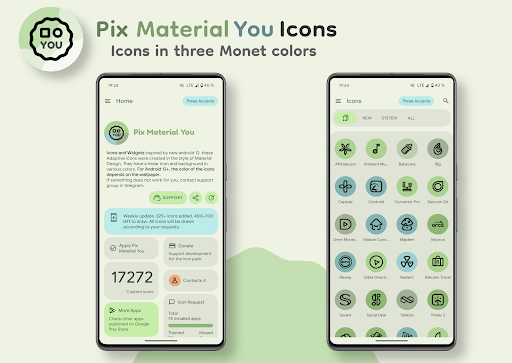
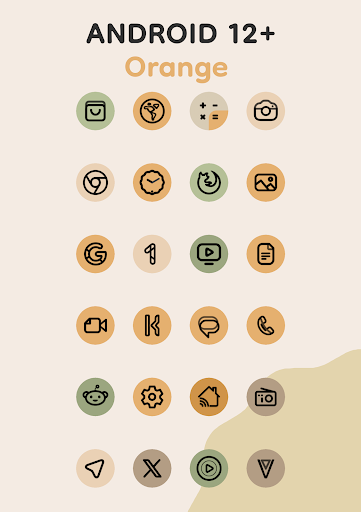
Inspired by new android 12, these Adaptive Icons were created in style of Material You.They have a linear icon and background in various colors.
They also change shape.Android 8-11: icons are pastel colors because there is no Monet support.Android 12+: colors of icons and widgets depends on wallpaper and use three MaterialYou colors.
Notes (android 12+):After changing wallpaper, you need to apply icon pack again to change color of the icons.Available in application:- Adaptive 20k+ icons.- Clock Widgets.- Exclusive thematic Wallpapers.How to use:How do I change the colors of the icons?!Colors change ONLY Android 12+!
After changing wallpaper / accent system, you need to reapply icon pack (or apply another icon pack, and then immediately this one).Where can I find widgets?On your home screen, long press and select "Widgets", Find "Pix Material You" in list.
Typical way, like accessing regular device widgets.Recommended use Launchers:- Nova Launcher (Change Colors Avtomaticaly in A12+ (beta 8.0.4+)).- Smart Launcher (Change Colors Avtomaticaly in A12+ (beta)).- Hyperion (Change Colors Avtomaticaly in A12+ (beta)).- Niagara Launcher (Change Colors Avtomaticaly in A12+).- AIO Launcher (Change Colors Avtomaticaly in A12+).- Stario Launcher (Change Colors Avtomaticaly in A12+).- Action Launcher.- Ruthless Launcher.- Lawnchair.- And other.If something does not work for you, you can contact "technical support" in telegram:https://t.me/devPashapuma
https://andro.io/app/iconpack-y8mt
 Power 100


Android app profile
Pix Material You Icons for Android – Latest Version & Features
★★★★★
(0 ratings)
Rate this app
How do you feel about Pix Material You Icons?
Thanks for your feedback!
> 2.2k
Monthly Downloads
~$900
Estimated Cost
Screenshots









