
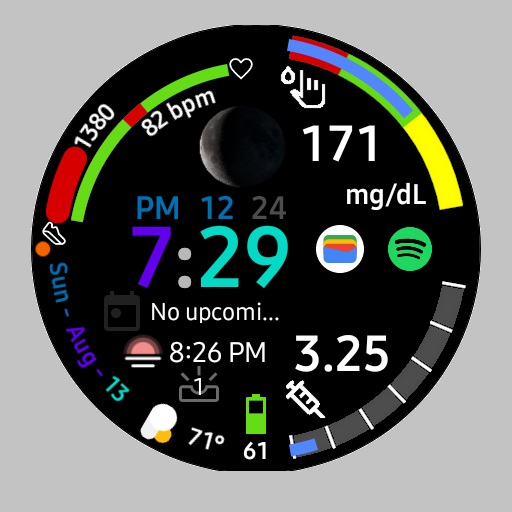
This face GDC HWF-901 Dashboard has everything as a health-conscious diabetic I need.
I haven’t seen a watch face that has a scale for either Glucose Levels or Insulin On Board (IOB) Levels.
So I decided to create this for the diabetic community.
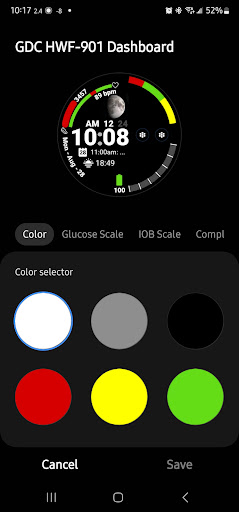
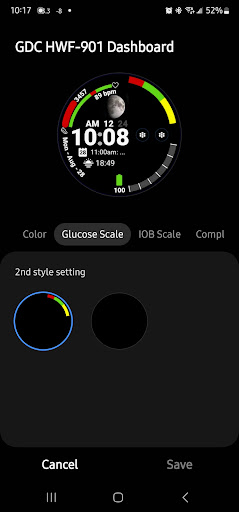
I even used the hex color code ( #5286ff) that represents Diabetes in the progress bars.BACKGROUND Options• Scale for Glucose can be turned on or off• Scale for IOB can be turned on or offCOMPLICATIONS• Circle Complication - (can be used for Weather)• Ranged Value (I use this for my Glucose Numbers from my CGM)• Ranged Value ( I use this for my IOB• Next Event• Sunrise / Sunset - Fixed• Shortcuts to 2 applicationsAOD Functions• Simple Time Display• 2 Ranged Value Complications with out Progress Bar (Great for a quick glance of your Diabetic complications)HEALTH Functions• Heart Rate (color changes from red to green when in range of 60 and 100 bpm)• Step Count is displayed as a number• Step Count percentage to Steps Goal in a progress bar that changes colors.
Red - Less than 66% Yellow - between 67% and 97% Green - Greater than 97%TIME Functions• Time (12 and 24 hour support) • Day of Week• Month• Day of Month• AM PM Indicator• 12 / 24 Hour Indicator• Moon PhaseSYSTEM Functions• Battery Level as a percent.
Icon changes as percentage lowers.
• Battery Low State identified as a Red Icon• Battery Charge State identified as an Orange Icon• Notifications – Unread Count• On Tap functionality for (Alarm, Calendar, Heart Rate, Steps, Battery, Wearable Widgets)
https://andro.io/app/hwf901
 Power 100


Android app profile
GDC HWF-901 Dashboard for Android – Latest Version & Features
★★★★★
(0 ratings)
Rate this app
How do you feel about GDC HWF-901 Dashboard?
Thanks for your feedback!
> 2.2k
Monthly Downloads
~$900
Estimated Cost
Screenshots









