
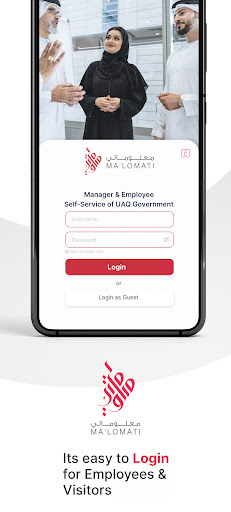
Malomati is Umm Al Quwain Government Self Service Mobile Application for its employees.
The application is developed by UAQ Department of eGovernment and will enable employees to use features of the Oracle EBS self-services features over mobile using with the same credentials as the ERP login.
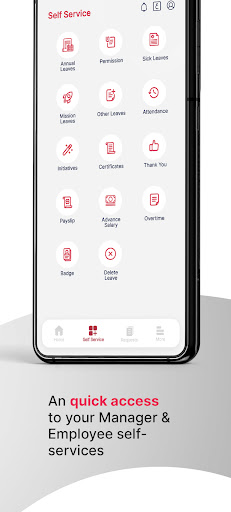
Malomati smart application provides six relevant services, which are listed below.My Information Service: This service gives the below employee and assignment information of the user who has logged into the application such as ( Assignment Number, Assignment Start & End Date, Department, Job, Manager, Years of Service, Email Address, Salary, and Total Number of Absences.
Create Leave Service: this service allows the user to create a new leave.
My Requests Service: The My Requests service allows the user to see the list of all the requests by him/her under Employee Self Service.
This includes pending, approved and rejected requests.
Salary Certificate Request Service: for this service, the user will be able to create a new request for a salary certificate.
Badge ID Request Service: This service allows the user to request a new badge id.
Payslip: The pay slip service allows the user to view the pay slip online for the selected calendar month.
https://andro.io/app/hrms-15696
 Power 100


Android app profile
Malomati for Android – Latest Version & Features
by Smart Government Department of Umm Al Quwain
★★★★★
(0 ratings)
Rate this app
How do you feel about Malomati?
Thanks for your feedback!
> 2.2k
Monthly Downloads
~$900
Estimated Cost
Screenshots









