
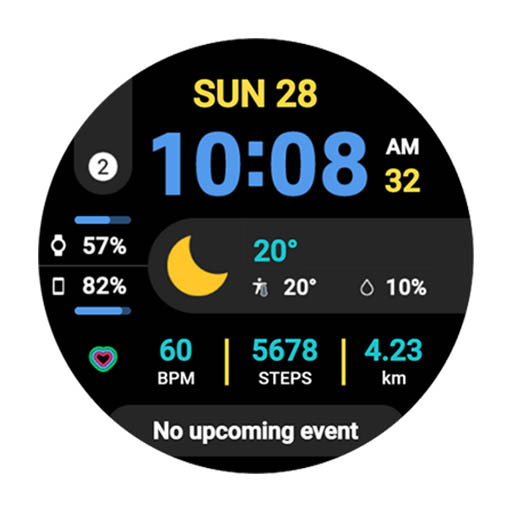
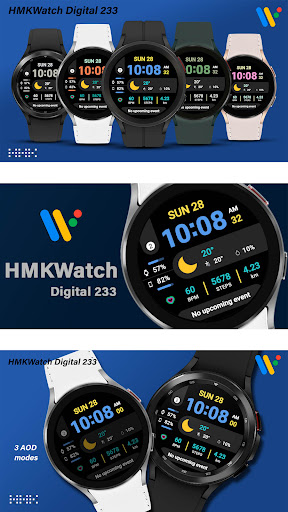
*This digital watch face supports wear OS devices.* Please install additional apps by referring to About this app.=======================================================[How to install]Make sure your watch is selected first before you press the payment button.Press the small black triangle next to the Payment button to select the watch.If you dont follow the above method, you can use Chrome or Samsung browser on your PC or smartphone.
After entering the store with a web browser, click Install on another device to install it on the watch.=======================================================[Additional installation app]1.
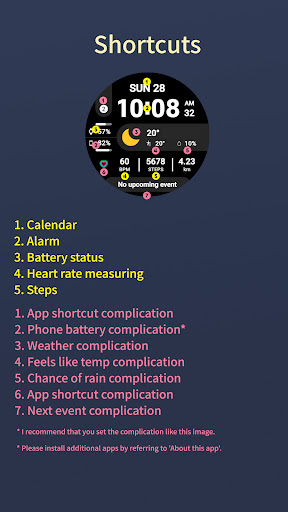
Smart phone battery app (Free app)Please install the additional app of the link below on the watch and smartphone, and set up the complication.If the link does not open, please search for the Phone Battery Complication app and install it.https://play.google.com/store/apps/details?id=com.weartools.phonebattcomp2.
Complications Suite - Wear OS (Free app)https://play.google.com/store/apps/details?id=com.weartools.weekdayutccomp3.
Heart Rate Complication (Paid app)https://play.google.com/store/apps/details?id=com.weartools.heartratecomp4.
Health Services Complications (Paid app)https://play.google.com/store/apps/details?id=com.weartools.hscomplicationsAll credits goes to original app creator:amoledwatchfaces - https://play.google.com/store/apps/dev?id=5591589606735981545=======================================================Get new news from my Instagram.www.instagram.com/hmkwatchhttps://hmkwatch.tistory.com/Please send me an email if you have any errors or [email protected]
https://andro.io/app/hmk-digi-233
 Power 100


Android app profile
HMKWatch Digital 233 for Android – Latest Version & Features
by HMKWatch
★★★★★
(0 ratings)
Rate this app
How do you feel about HMKWatch Digital 233?
Thanks for your feedback!
> 2.2k
Monthly Downloads
~$900
Estimated Cost
Screenshots









