
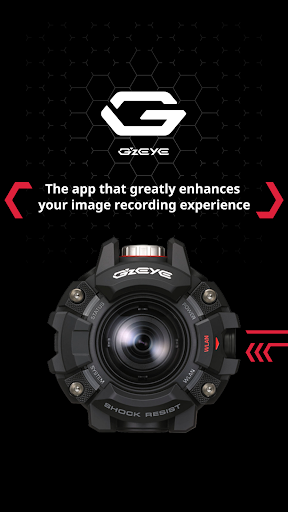
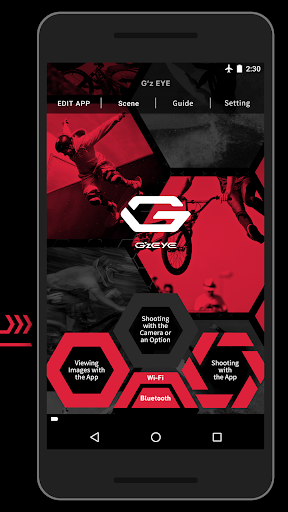
G’z EYE is an app that makes it possible for a smartphone to control a G’z EYE (GZE-1) digital camera with wireless LAN and Bluetooth functions, and to enjoy viewing recorded images on a smartphone.[ Key Features ]■Bluetooth connection between the camera and a smartphone.
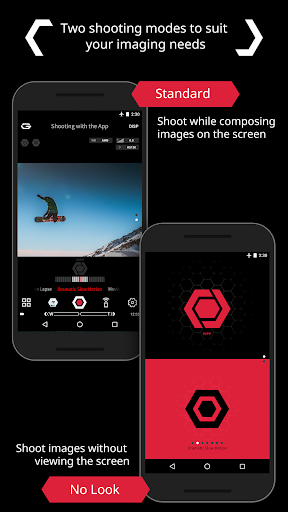
(Camera Registration)■This function lets you remotely shoot a snapshot or movie with the camera using a smartphone.
(Shooting with the App)・Images can be composed on the smartphone screen.・A large on-screen shutter button makes it possible to shoot without looking at the smartphone screen.・Location information can be attached to images received by a smartphone.・Camera shooting settings can be configured from the app.■Camera monitor screen contents can be viewed on a smartphone screen.
(Viewing Images with the App)・Images stored in camera memory can be viewed on and copied to a smartphone.・Images stored in camera memory can be selected for display according to desired conditions.・Movies stored in camera memory can be played back quickly and easily.・Movies shot with the camera are automatically converted from MOV format to MP4.■Settings can be configured to have images shot with the camera automatically sent to an iPhone/iPad.■Camera settings can be configured from the app.■The Scene photo app can be easily called up from Gz EYE.■An operation guide can be accessed from the app.[Compatible digital cameras]GZE-1[Compatible OS]Android 4.4 - 7.1[Note]・Functions that use Bluetooth are can be used with a terminal that supports Bluetooth 4.0.・This app will work only with the specified supported digital camera.・For details about how to use this app, refer to the Gz EYE Users Guide (http://www.exilim.com/manual/ ).・For details about camera operations, see the user documentation that comes with it.・In the case of Smartphone that use the Wi-Fi automatic switch-over access point (network switch-over), there is a possibility of damaging the camera connection.
To avoid this, please check that the Wi-Fi access point’s automatic switch-over function (network switch-over) is turned off before using.・No guarantees are made concerning the ability of this app to operate on any particular terminal.
https://andro.io/app/gzeye
 Power 100

Android app profile
Gz EYE for Android – Latest Version & Features
★★★★★
(0 ratings)
Rate this app
How do you feel about Gz EYE?
Thanks for your feedback!
> 2.2k
Monthly Downloads
~$900
Estimated Cost
Screenshots









