
#1 Pomodoro Technique stepfrom https://en.wikipedia.org/wiki/Pomodoro_Technique1.
Decide on the task to be done.2.
Set the Pomodoro timer (typically for 25 minutes).3.
Work on the task.4.
End work when the timer rings and take a short break (typically 5–10 minutes).5.
Go back to Step 2 and repeat until you complete four pomodoros.6.
After four Pomodoros are done, take a long break (typically 15 to 30 minutes) instead of a short break.
Once the long break is finished, return to step 2.#2 Its a simple Pomodoro app.This app is designed to be used with the screen on.
Even if you lock the screen, Pomodoro will wake it up when the time is up.
We recommend excluding our app from battery optimization so that it is not killed by the OS while in use.
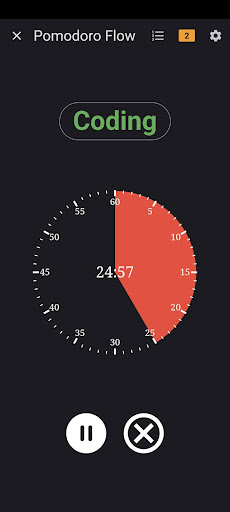
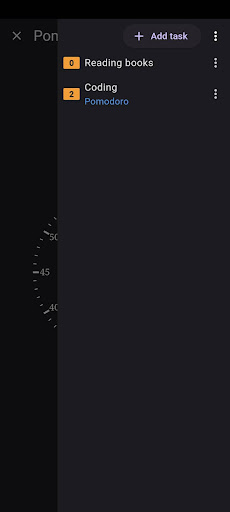
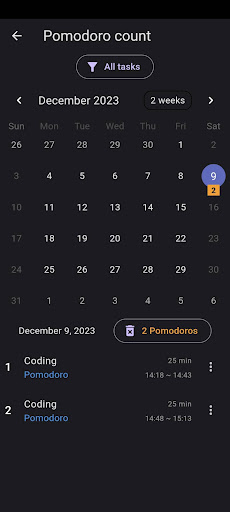
#3 Features- View as analog clock, view as digital clock- Adjust focus time, break time- Add tasks and simple calendar- Alarm sound or vibration- Ignore battery usage optimization- Minimal permissions
https://andro.io/app/good-timer
 Power 100

Android app profile
Pomodoro Flow for Android – Latest Version & Features
by Daejeong Kim
★★★★★
(0 ratings)
Rate this app
How do you feel about Pomodoro Flow?
Thanks for your feedback!
> 2.2k
Monthly Downloads
~$900
Estimated Cost
Screenshots









