
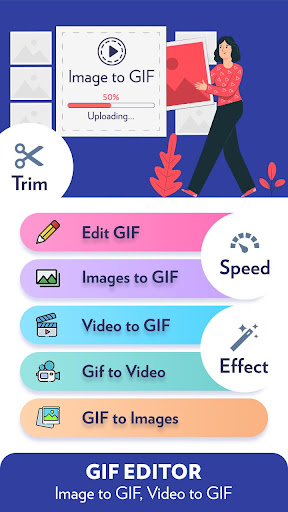
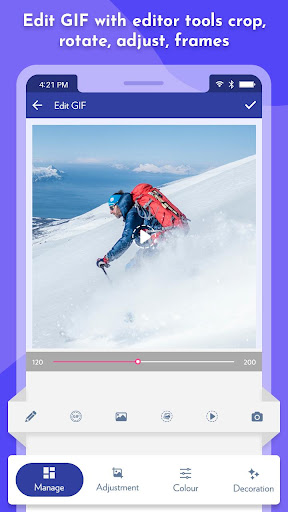
GIF Editor: Image to GIF, Video to GIF app includes add multiple images to GIF, video to GIF, cut video & crop video, picture to gif, speed control, emoji, hand writing, filters, trim, sticker, etc.Quick edit GIF: Quick modify GIF width transformation, resize and adjust play speed in a few seconds for creating GIF maker.*Function of GIF Editor: Image to GIF, Video to GIF app: - Easy to Edit GIF- Quick Edit GIF- Convert from Images to GIF, Picture to GIF support multiple pictures to GIF- Video to GIF- Convert GIF to video- Convert GIF to images*Powerful editing functions for any GIF maker:- Trim video to limit the GIF duration- Manage GIF speed: fast and slow adjustment- GIF cropping: You can crop out the extra parts around the GIF picture- Flip: Set the layer to flip vertically and flip horizontally- Add over 200 image to create GIF and set max to 400 from setting- Adjust color balance for GIF images by changing filters, contrast, sharpness, saturation, frames and shadow.- Edit GIF with editor tools crop, rotate, adjust, frames- Add or remove each frame in GIF images.- Quick adjustment of brightness, contrast, sharpness, saturation- Add text with various fonts, photos, emoji’s, stickers- Enhance your GIF with beautiful filters and effectsAll converted GIF and videos files generated into your gallery, you view from there, for more queries feel free to contact us or give your feedback to us.
https://andro.io/app/gifeditor
 Power 100


Android app profile
GIF Editor: Image to GIF, Vide for Android – Latest Version & Features
by Stud Zone
★★★★★
(0 ratings)
Rate this app
How do you feel about GIF Editor: Image to GIF, Vide?
Thanks for your feedback!
> 2.2k
Monthly Downloads
~$900
Estimated Cost
Screenshots









