
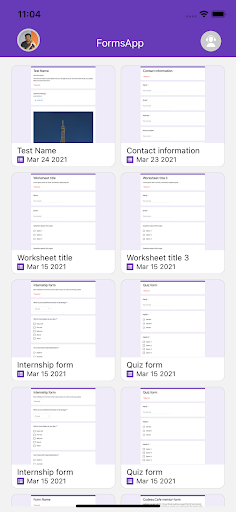
Manage all your Forms on your Android phone or tablet with the free Forms App.
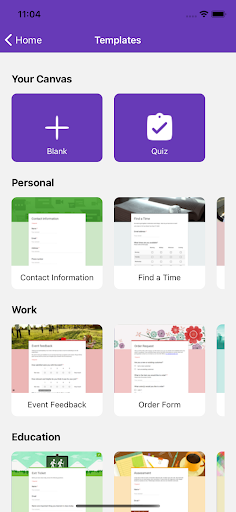
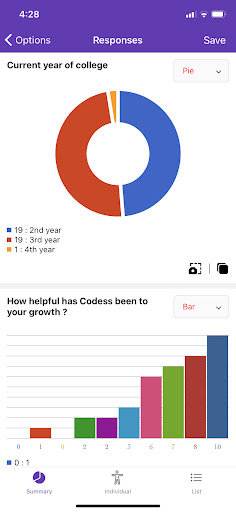
With this app, you can:Create New Forms:- Design new forms on your Android device.- Choose from a variety of stunning templates.- Import questions from existing forms.- Add collaborators and editors to your forms.Edit Existing Forms:- Access any form from your Drive on your Android device.- Support for undo and redo actions.- Rearrange questions easily.- Preview forms before sharing.- Share edit links with collaborators or form links for respondents.- Receive detailed, illustrative charts for form responses.Response Notifications:- Receive real-time notifications whenever a new response is submitted.View, Manage, and Share Responses:- Summary Mode: View responses with visually appealing graphs.- Questions Mode: Review responses by specific questions.- Individual Mode: See answers from individual respondents.- Delete individual or all responses.- Provide individual feedback for quiz answers.- View and assign scores to quiz responses.- Export response data in CSV or Excel formats.- Copy charts to clipboard or save to your photo library.Disclaimer: This is a third-party app.
All trademarks of Google and Google Forms are the property of their respective owners.
https://andro.io/app/g-forms
 Power 100

Android app profile
FormsApp - Manage your Forms for Android – Latest Version & Features
★★★★★
(0 ratings)
Rate this app
How do you feel about FormsApp - Manage your Forms?
Thanks for your feedback!
> 2.2k
Monthly Downloads
~$900
Estimated Cost
Screenshots




