

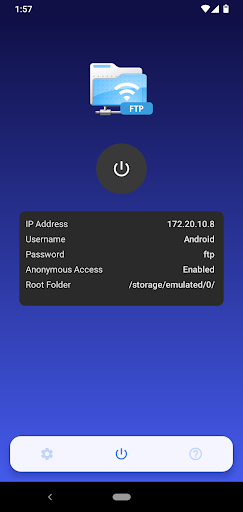
A simple and easy use app to manage files on your android device over wifi/Hotspot/Ethernet.Convert your android phone/tablet into a FTP Server!
A powerful app allows you to host your own FTP Server on your phone/tablet.
Use the FTP Server to transfer files, photos, movies, songs,..etc.
It also helps you not to use USB cables for file transfer and copy/backup files over Wifi(FTP Server).
It is also called WiFi file transfer or WiFi FTP Server.
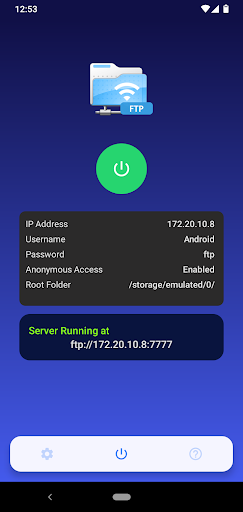
All Free And Easy to use->App Key Features : • Trans FTP server with configurable port number • Avoid using USB cables for file transfer and copy/backup files over Wifi • Works over Wifi and Wifi tethering mode (hotspot mode) • Configurable anonymous access • Configurable home folder (mount point) • Configurable username/password-> File management Over wifi,Hotspot,Ethernet(FTP Server) -Transfer Files,photos,movies,songs,pdf files,..etc -Copy and backup files FTP Clients: You can use any FTP clients on Windows, Mac OS, Linux access this FTP Server.
(ex-FileZilla,WinSCP,Cute FTP,Fire FTP,Core FTP,Smart FTP)Windows OS: -Windows Explorer to access filesMAC OS: -Using Finder to access files.
Linux OS: -File manager to access filesNOTE:If user is not anonymous, please enter the address in format ftp://ip_address:port_number/ into Windows Explorer/Finder/File Manager or any FTP client.
And Enter username and password to access the files.SUPPORT:If youre facing any problems, want new features or have feedback to improve this application, dont hesitate to send it to us via the support email: [email protected].
https://andro.io/app/ftpserver-z70q


Rate this app
How do you feel about Trans FTP Server?
Thanks for your feedback!
> 2.2k
Monthly Downloads
~$900
Estimated Cost
Screenshots









