
Free Maps Ruler allows you to easily measure the distance and the area between selected points on a map.
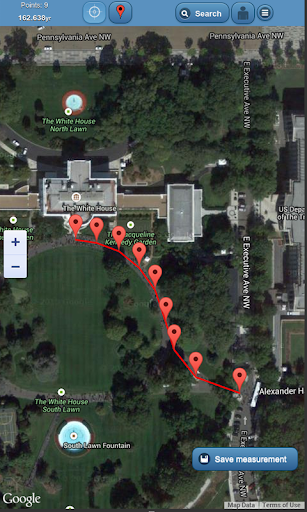
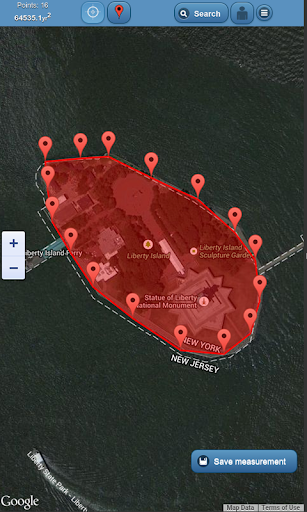
All you need to do is just add a bunch of points on a map using the red marker button from the top application menu.
After that the distance or area calculation is done automatically and the result is displayed in the left top corner.
The viewfinder in the middle of the map should help you determine where exactly you are placing the makers.
No GPS position acquisition is required, all markers can be added manually.
The search option allows you to find any location in the world just by typing its name into the input filed, after that, found location will by directly displayed in the center of the map.How to measure the distance/area?1.
Find the location on the map manually (by moving the map and zooming) or use the search option from the top menu.
Search option allows you to just type the name of any city, street, landmark etc.
in the world and it will be displayed in the center of the map.2.
Use the red marker form the top menu to add many markers on the map.
They may represent your route in case of distance measurement or the boundary of your estate in case of area measurement.3.
The distance/area calculation result will be displayed in the left top corner of the screen.Additional features1.
If you press the Settings button you can customize the application behavior.2.
From the Settings menu you can change the type of measurement – area/distance.3.
You can change also the metric system: meters/miles.4.
You can change the map type: hybrid (satellite image with street names)/satellite/road.5.
Viewfinder can be turned on/off using the viewfinder button from the top menu.6.
You can move markers using your finger to adjust them to a specific position.7.
You can tap on each marker to see the details.8.
You can remove each marker in marker details window.9.
The last location search result will be displayed at the next application startup.10.
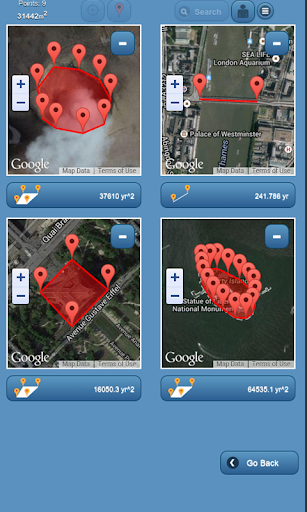
You can create an account to save your measurements and browse them later on.11.
You can browse http://your-measurements.scislo.eu
https://andro.io/app/freemapsruler
 Power 100

Android app profile
Maps Ruler for Android – Latest Version & Features
by Mobile Next
★★★★★
(0 ratings)
Rate this app
How do you feel about Maps Ruler?
Thanks for your feedback!
> 2.2k
Monthly Downloads
~$900
Estimated Cost
Screenshots









