
This app is available in two versions: a paid version and a free version.The free version has the following limitations:● The use of the free version is limited to 10 minutes from the start.You can reset the 10-minute usage time by restarting the app, but you will need to undergo a hearing test each time.● The ability to adjust the volume for the left and right sides is not available.● The frequency change feature is also not available.OverviewTransform your smartphone into a handy sound amplifier with this app, making conversations clear and easy to hear.
Before investing in expensive specialized equipment, its ideal for assessing the state of your ears.
Designed for convenience, its multifunctional and compatible with wired earphones.Main FeaturesSound Amplification: Utilizes your smartphones microphone to capture external sounds, which you can then hear through earphones.Ear Condition Diagnosis: The app automatically measures your hearing ability and visualizes the "hearing" condition through a graph.Sound Quality Adjustment: Based on the measurement results, it emphasizes hard-to-hear sound ranges.
Additionally, sound quality can be adjusted according to the environment.Wired Earphone Compatibility: The app supports wired earphones.
Its compatible not only with the cheero brand but also earphones provided with smartphones.Detailed FeaturesSound Amplification: Your smartphones microphone picks up external noises, making them easier to hear through earphones—particularly useful for conversations in outdoor settings or gatherings.Hearing Measurement: The app gauges your hearing capability, displaying the results in a graph, revealing any discrepancies between left and right ears and identifying challenging sound ranges.Automatic Adjustment: It tweaks sound quality automatically from the measured results, emphasizing hard-to-hear ranges, ensuring a more comfortable listening experience.Sound Quality Adjustment: Depending on ambient noise, further sound adjustments might be necessary.
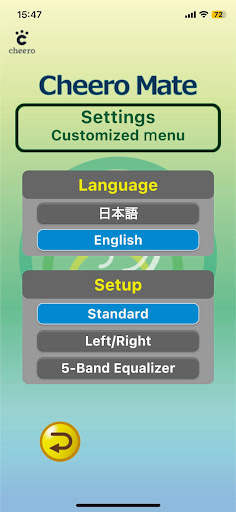
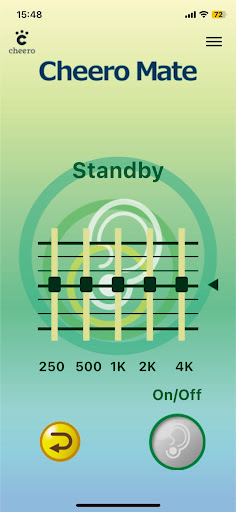
This app allows precise sound range tweaking using a graphic equalizer, with an easy balance adjustment between the left and right.Wired Earphone Compatibility: Apart from the cheero brand, it supports a wide range of wired earphones.
However, a conversion plug might be necessary when using earphones with a mic.How to Use1.
Download and launch the app.2.
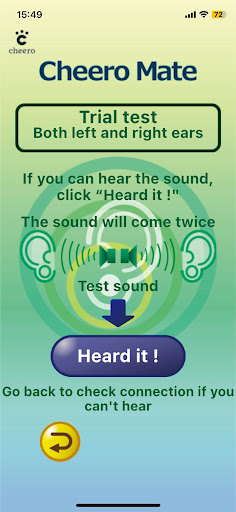
A hearing test begins upon the first launch.3.
Once the hearing test is done, sound quality is adjusted automatically.4.
Afterward, the smartphones microphone captures sound, which you can verify using earphones.ConclusionThis app is bound to be a valuable tool for seniors and those with hearing impairments, greatly aiding everyday communications.
The simplicity of measuring hearing capability and the flexibility to adjust sound quality tailored to individual needs are its strong points.
Its also highly beneficial as a "test listen" before purchasing a dedicated sound amplifier.
Attain comfortable hearing with settings best suited for your ears.
https://andro.io/app/free-1lfu2
 Power 100

Android app profile
cheero Mate Trial Version for Android – Latest Version & Features
★★★★★
(0 ratings)
Rate this app
How do you feel about cheero Mate Trial Version?
Thanks for your feedback!
> 2.2k
Monthly Downloads
~$900
Estimated Cost
Screenshots









