
It is a media volume adjustment button that can be displayed on various apps.
Please use it when you want to adjust the volume to a certain degree depending on the situation such as in public facilities or in the city.■ Features○ High versatilityIt will be displayed on various apps.
You can also adjust the volume of 咄 嗟 without launching an individual application.○ Change display position and sizeThe display position and button size can be displayed in detail according to the device you are using.○ Supports transparent functionYou can specify the transparency of the button in the range of 0 to 255.
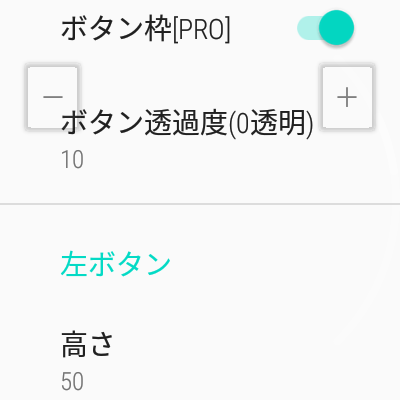
In the paid version, you can also erase the edge of the button.
It is designed so that it does not interfere with your app.○ Forced termination function by any chanceEven if you make a mistake in the settings and interfere with the operation of other apps, you can quit the app by pressing and holding either the + or-button.
We also consider the case where you accidentally increase the button size.〇 Automatic start when restartingA function is provided in the settings to automatically start when the device is restarted.
Even if you restart your device due to a dead battery, you can use it without being aware of the app.■ In makingI bought a clock-type device and used the weather forecast and transfer information conveniently.However, when I tried it in the city, I sometimes heard it at a low volume, or suddenly made a loud noise in public facilities, which caused inconvenience.If you use a smartphone, you can use the volume key to deal with the humor, but many wearable devices do not have a volume key.I created it because I wanted a volume control function that I could use with the same feeling.■ About usage authorityThis application uses the following authority to implement functions and improve user convenience.・ Displayed on top of other apps.
System alert window (SYSTEM_ALERT_WINDOW) authorityIt is an authority to control the volume even when using other apps, and it is a necessary condition for implementing this app.Also, the system alert authority is the authority required to display it on other apps.-Detection at restart (RECEIVE_BOOT_COMPLETED)It is the authority to automatically start this application when the terminal is restarted.
If it is turned off as an option, the function of this authority will be used.-You can prevent the screen from going to sleep or darkening.
(WAKE_LOCK)The volume operation can be continued without forcibly terminating the application.・ Vibration activation (VIBRATE)When the button is pressed, it vibrates so that it can be recognized that there was an operation.■ Notes〇 This app only supports media volume.
Therefore, it may not work with alarms and notification sounds.○ The developer cannot take any responsibility even if the user suffers a disadvantage in using this application.○ Depending on the Android version and model, it may not function properly.○ It may become unusable due to future Android updates or customer model changes.○ The release of the app may be terminated without prior notice.-----------------Thank you for browsing to the end.
https://andro.io/app/free-1kg9b
 Power 100

Android app profile
スクリーンボリューム(様々なアプリ上にオーバーレイ表示できる for Android – Latest Version & Features
by コシノ アツシ
★★★★★
(0 ratings)
Rate this app
How do you feel about スクリーンボリューム(様々なアプリ上にオーバーレイ表示できる?
Thanks for your feedback!
> 2.2k
Monthly Downloads
~$900
Estimated Cost
Screenshots









