
■ This is an application that can easily copy and paste, memo, launcher ● You can "copy & paste" while opening other apps!● You can make a memo while opening other apps!● Automatically save a copy(Clipboard) history!
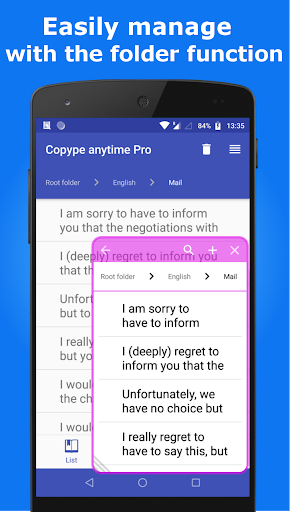
● You can manage for each category!● You are able to display a shortcut to the application of your choice in the dialog window.
Please select apps Setting tab in the "App launcher".※ Due to the security update of android10, contents copied on other applications can no longer be saved with this application.※ You can adjust the sensitivity (distance) of the slides required to open the dialog window.
It requires a distance of sliding value gets larger.
This software includes the work that is distributed in the Apache License 2.0.
★ How to use
★1.
Open the Copype anytime.(Automatically it will be started service of Copype anytime.
Please check the setting tab.
If service of Copype anytime is running, Bottom button in setting tab is orange color, and showing "Stop Service".
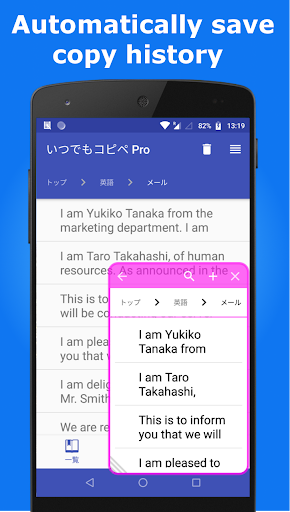
If you copy a text while running the service, it will be automatically saved in the app.
)2.
Edit the text.In the Category tab, You can edit the copied text, and you can also save new texts you like.3.
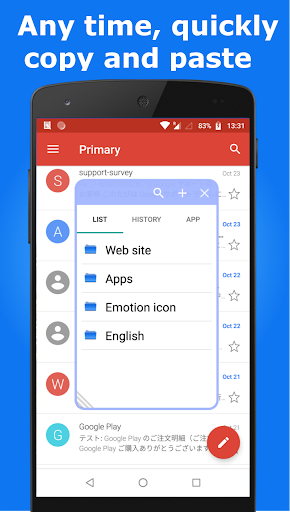
Copy and PasteYou can open the dialog window by swiping the lower right or lower left position of screen while service of Copype anytime is running.(Please see the picture of this app in the Google play)4.
Memo function of dialog windowMemo input screen will be displayed when you click the Memo tab or the upper left button(Pencil) in category screen.
It will be saved when you click the upper left button(floppy disk) in category screen one more time.
The memo is saved category name "Memo", sub-category name "Memo"(the name can be changed).
If you want to edit the memo, you can edit in the category tab of the application as usual.5.
App launcher function in dialog window You are able to display a shortcut to the application of your choice in the dialog window.
Please select apps Setting tab in the "App launcher".
https://andro.io/app/free-1agw6
 Power 100

Android app profile
Copy & Paste & Memo & Launcher for Android – Latest Version & Features
★★★★★
(0 ratings)
Rate this app
How do you feel about Copy & Paste & Memo & Launcher?
Thanks for your feedback!
> 2.2k
Monthly Downloads
~$900
Estimated Cost
Screenshots









