
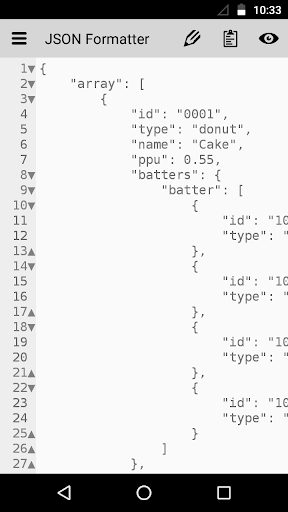
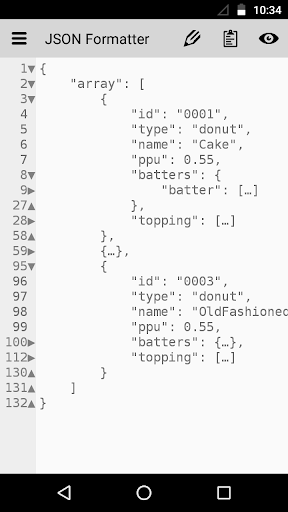
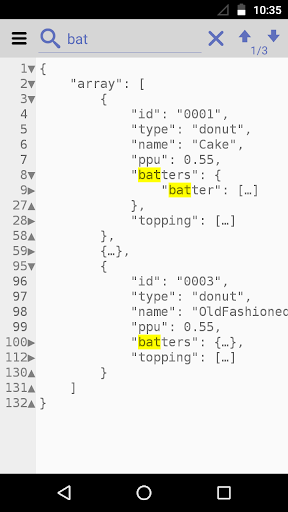
1 click of the button "Format" will beautify any JSON you have entered.Even if the text is not complete,even if the text is not a valid JSON,the app will format it as far as it can, and make it easy to read.Import JSON as a *.json file or as a *.txt text, or just paste it from your clipboard.Export the result as a simple text file, or just copy it to your clipboard.Enjoy the search option to quickly find, what you are looking for.You have a easy "paste" button in the app, to quickly paste the text you have copied.You also have "copy" button in the menu, to quickly copy the entire text to your clipboard."Delete" button in the side menu will clear the content.A backup will be created automatically on every paste, so you do not loose you progress.You can create, delete, rename, restore backups by yourself in the Backups section.You have a Read only mode by default, so you do not change the text by accident with the constantly showing keyboard.
Easy to switch between Read only mode and Edit mode is located in the top bar.
Arrows to move the pointer to any part of the text will be shown in Edit mode.
You can switch them off in Settings.
Other preferences in Settings will allow you to make the app you own, and feel like home when using it.Enjoy fast way to make any JSON human readable.A small, hidden, unintrusive ad is at the top side menu, so it will be very hard to click by accident.
This will allow you to easy switch between 2 (or more) JSONs.
https://andro.io/app/formatter-1s9qa
 Power 100

Android app profile
JSON Formatter for Android – Latest Version & Features
by Mincho Kolev
★★★★★
(0 ratings)
Rate this app
How do you feel about JSON Formatter?
Thanks for your feedback!
> 2.2k
Monthly Downloads
~$900
Estimated Cost
Screenshots









