
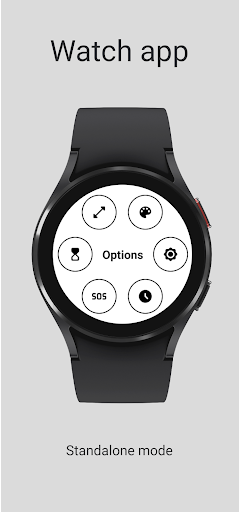
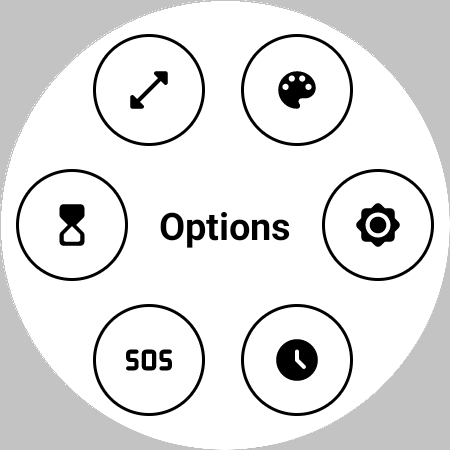
Features:- Set the color;- Set the circle size;- Set the brightness;- Set a timer (to turn the flashlight off);- Show the time;- Blink in SOS;- Three tiles;- Three complications.Warnings and Alerts:- This application is for Wear OS;- The phone app only function is to help you to install the watch app;- The app needs permission to change the watch settings in order to set the brightness;- The basic tile is white at full brightness;- The advanced tile imitates the app basic flashlight;- Long use may cause problems to the screen!- Long use may reduce the battery level!Instructions:= FIRST TIME RUNNING: - Open the app; - Grant the permission; - Relaunch the app.= SET THE SIZE: - Open the app; - Tap the screen to show the options menu; - Click on the size icon; - Use the slide to change the size.= SET THE COLOR: - Open the app; - Tap the screen to show the options menu; - Click on the color icon; - Use the slides to select the desired color.= SET THE BRIGHTNESS: - Open the app; - Tap the screen to show the options menu; - Click on the brightness icon; - Use the slide to change the brightness.= SET THE TIMER: - Open the app; - Tap the screen to show the options menu; - Click on the timer icon; - Set the minutes and seconds; - Click on the confirm button.= STOP THE TIMER: - Tap the screen* * After the timer started.= BLINK IN SOS: - Open the app; - Tap the screen to show the options menu; - Click on the SOS icon.= STOP BLINKING IN SOS: - Tap the screen* * While blinking.= SHOW THE TIME: - Open the app; - Tap the screen to show the options menu; - Click on the clock icon*.
* First tap: Show the time in the top of the screen; * Second tap: Show the time in the center of the screen; * Thrid tap: Hide the time= RESET THE FLASHLIGHT SETTINGS: - Tap the screen to show the options menu; - Tap and hold the "Option" text; - Confirm.Tested devices:- GW5.
https://andro.io/app/flashlight-i6q5
 Power 100

Android app profile
Flashlight for Android – Latest Version & Features
★★★★★
(0 ratings)
Rate this app
How do you feel about Flashlight?
Thanks for your feedback!
> 2.2k
Monthly Downloads
~$900
Estimated Cost
Screenshots









