
Do you feel bored with the default file manager on your phone?
Manage files on an Android phone may be a tedious task.
If you want to try an intuitive file manager, File Manager - File Explorer is the app you are looking for.
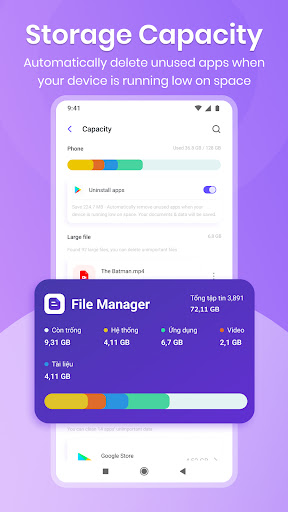
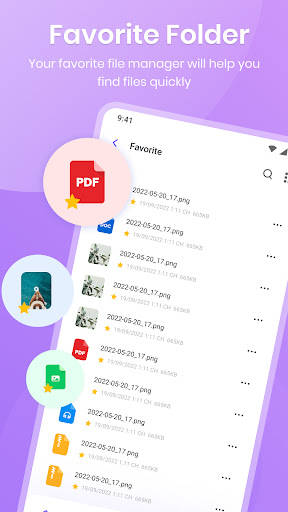
Our File explorer app will automatically scan & sort all types of files on the phone, give you total control on whatever types of file you want to find, such as photos, videos, documents, apk files, music files, etc.
File Manager Main Features: Storage Analyzer Dashboard:View which types of file take much storage on the phoneControl left storage capacity on the phoneFind out large files that can delete to empty space Know application data for every app, sort from biggest to smallestImages File Explorer:Manage all photos on the phoneView photos with built-in viewerRename, compress photos for easy sharingCopy, move to another folder or albumVideos File Manager:Organize all videos on the phoneWatch video with built-in playerFast compress for easy sharing, uploadingCopy, move video to specific folder or albumMusic explorer:Show all music files Show all ringtone filesSupport all song formatDocument, Zip file manager:Manage all office files in one placeCompress and extract zip filesCompress to many types of files: 7-zip, .bin, .zip, .jar, etcAPK files:Show all apk installation filesDelete old apks or share to othersDownload manager:Manage all files that you downloaded on the phone.
Sort out by names, date added or file sizesTrash:By default, any files in the trash will be deleted after 30 days.
If you accidentally delete any files, do not panic, just move to the Trash and restore it.
Your file will never be lost immediately after you delete it.Still using the default file manager on your phone?
It’s time to move on.Download File Manager - File Explorer today and try out the most advanced file manager on Android phone ever.
https://andro.io/app/file-1ihnc
 Power 100


Android app profile
File Manager, File Explorer for Android – Latest Version & Features
★★★★★
(0 ratings)
Rate this app
How do you feel about File Manager, File Explorer?
Thanks for your feedback!
> 2.2k
Monthly Downloads
~$900
Estimated Cost
Screenshots









