
This application requires a special bluetooth device.More info about the Eyegas Sensor can be found here: http://eyegas.co.za/This application is designed to be used with the Eyegas sensor.
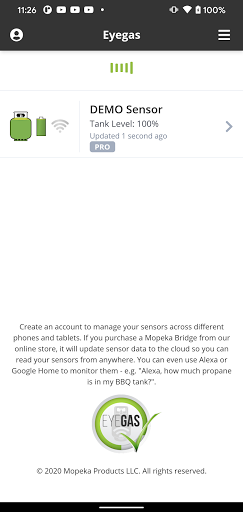
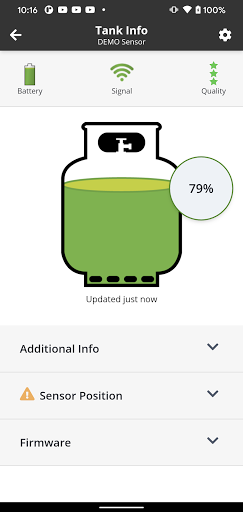
The Eyegas application can measure the LPG propane level to tell you the exact fill level and when your tank is empty.
It can be used on tanks found in RVs, heaters, BBQ grills, etc.
The Eyegas sensors are magnetically stuck to the bottom of your propane tank and will periodically measure and wirelessly send the fill level or percentage to the Eyegas app.
Stick it on the bottom of your tank and know exactly when you are running low on propane!
This technology is patent pending.Usage:1.
To pair your Eyegas sensor to the phone, simply press the "Sync" button on the back of the sensor while the apps main screen is visible.
The first time you use your Eyegas sensor you must press the "Sync" button 5 times in a row in order to wake up the sensor.
2.
Place the Eyegas sensor in the center of the underside of the tank.
Most tanks have a small "flat" spot on the center and this is the nominal location for the sensor.3.
Flip the tank over.
Once the fluid has settled the app will display a reading.
Note that the LPG fluid will be sloshing around in the tank for a few minutes and the quality of the measurements will be low until this has stabilized.
https://andro.io/app/eyegas
 Power 100
Android app profile
Eyegas for Android – Latest Version & Features
★★★★★
(0 ratings)
Rate this app
How do you feel about Eyegas?
Thanks for your feedback!
> 2.2k
Monthly Downloads
~$900
Estimated Cost
Screenshots









