
Looking for an expense and budget tool?
Stop searching.
GSW Expense Manager PRO is simple, intuitive, stable and feature rich.
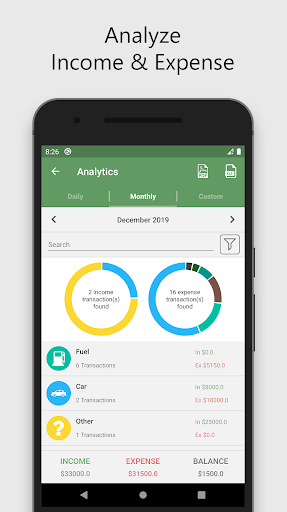
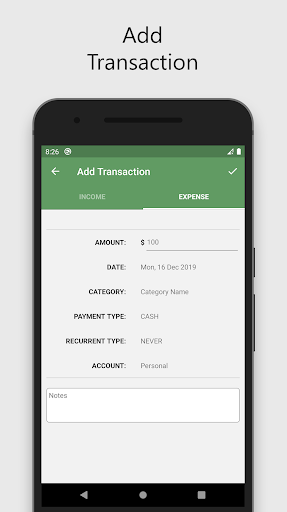
Everything you need to manage expenses and budgets.Expense Manager has the following characteristics:• Expenses and income by week, month and year, as well as by categories.• Multiple accounts in multiple currencies.• Schedule payments and recurring payments.• Take a picture of the receipt.• Budget by day, week, month and year.• Research and reports.• CSV account import and export file for desktop software and PDF.• Customize expense categories, payment methods, date format.• Automatic filling.• Graphics.• Free app.• Developer support.PERMISSIONS EXPLANATION:- Internet access.- Camera permission is used to take a picture of your receipt.- Account permission is used for data backup to Google DriveAll data is saved to your phone or Dropbox account.
No one but you can access your account.This application is being continuously improved and we are working hard to provide the best experience.
If you have any suggestions or find a bug, send an email to [email protected].
Thanks!
The application is free.
Use it and, if you can, qualify us with 5 stars.
https://andro.io/app/expensemanager-1c886
 Power 100


Android app profile
Expense Money Manager Control for Android – Latest Version & Features
by GSW Connect
★★★★★
(0 ratings)
Rate this app
How do you feel about Expense Money Manager Control?
Thanks for your feedback!
> 2.2k
Monthly Downloads
~$900
Estimated Cost
Screenshots




