
Excel (Excel) a comprehensive software for working with spreadsheets (Spread Sheet) is.
With Excel you can create a variety of tables containing texts and numbers and use mathematical, statistical and logical formulas and functions to calculate them.
It is also possible to create diagrams of different values in the tables.
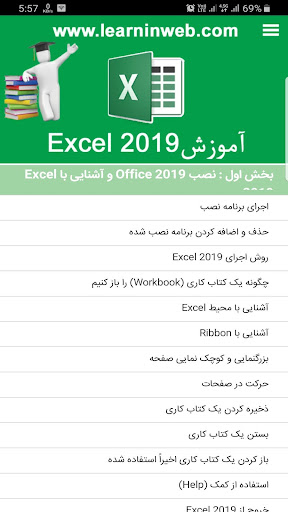
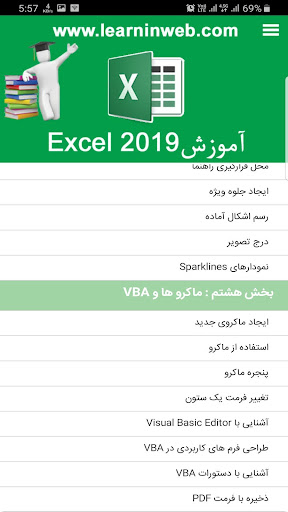
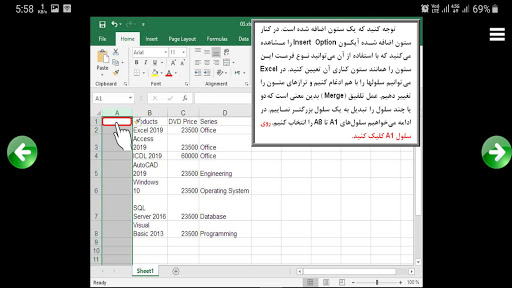
If you use professional features like macros and the VBA language, Excel can be a good solution for almost all financial and statistical software and applications.The following are taught in this coursePart One: Installing Office 2019 and Getting to Know Excel 2019 (Free)Run the installation programRemove and add the installed programHow to Run Excel 2019How to open a WorkbookExcel ExcelIntroduction to RibbonZoom in and outNavigate the pagesSave a workbookClose a workbookOpen a recently used workbookUsing HelpExit Excel 2019Part II: Methods of working with books (Workbook) (free)Creating workbooksHow to enter dataIntroduction to FormulasAdd a new row or columnFunction sumRemove row or columnMoving rows or columnsIntroduction to Cut, Copy and PasteUndo and Redo devicesFind and Replace commandsManage Pages (Sheets)Save file in Excel 2019Section Three: Configuration or Format WorkbooksAdjust the size of rows and columnsCell integrationHow to Display a Number FormatConfigure TextWorking with Style or Ready FormatsWorking with the Spell (Spell Checker)Introduction to AutoCorrectUse the AutoFill toolConditional formatting Conditional formatting with toolsWorking with Quick Analysis ToolSection Four: Types of Views and Page PrintingHow to view worksheets in Excel 2019Split commandFreeze commandAuto Filter ToolAdd header and footerPage Setup with Page SetupAdjustable Print RangePreview the print and its settingsHow to Sort in ExcelPart Five: Formulas and Functions (Part I)Introduction to functions and formulasCopy the formulaBind to the content of a cellUsing AutoCalculateFunction sumOperators in ExcelFunctions Min, Max, Count, and AverageAutoSUM toolWorking with Manual CalculationSection Six: Formulas and Functions (Part Two)FV functionPMT functionWorking with IF conditional functionUse history in functionsWorking with statistical functionsT test functionAutomatic correction of input functionPearson functionSection Seven: Charts, Pictures and Special EffectsCreate a chartChart shape determinationChart graph dataChange chart typeChange the appearance of the chartGraph headlineLocation of HelpCreate special effectsDraw shapes readyInsert ImageSparklines ChartsSection Eight: Macros and the VBACreate macros in Excel 2019Use MacrosMacro windowChange the format of a columnIntroduction to Visual Basic EditorDesigning Application Forms in VBAUnderstanding VBA CommandsSave as PDFLearn all versions of Excelhttps://www.learninweb.com/%D8%A2%D9%85%D9%88%D8%B2%D8%B4-%D8%A7%DA%A9%D8%B3%D9%84.phpExcel 2010 Traininghttps://www.learninweb.com/%D8%A2%D9%85%D9%88%D8%B2%D8%B4-%D8%A7%DA%A9%D8%B3%D9%84-2019.
phpExcel Functions and Formula Traininghttps://www.learninweb.com/%D8%A2%D9%85%D9%88%D8%B2%D8%B4-%D8%AA%D9%88%D8%A7%D8%A B9-% D8% A7% DA% A9% D8% B3% D9% 84.phpExcel VBA Traininghttps://www.learninweb.com/%D8%A2%D9%85%D9%88%D8%B2%D8%B4-vba-excel.php
https://andro.io/app/excel2019p
 Power 100

Android app profile
آموزش Excel 2019 به فارسی for Android – Latest Version & Features
by Learninweb.com | انیاک
★★★★★
(0 ratings)
Rate this app
How do you feel about آموزش Excel 2019 به فارسی?
Thanks for your feedback!
> 2.2k
Monthly Downloads
~$900
Estimated Cost
Screenshots









