
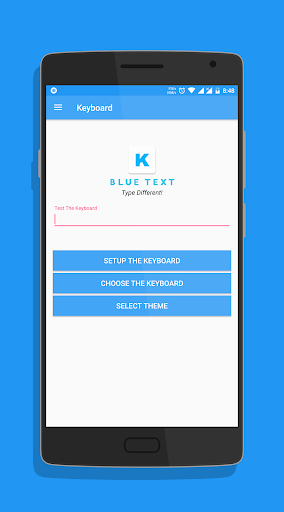
*TEXT WILL APPEAR BLACK ON KITKAT AND OLDER BASED ROMS*To Enable the Keyboard, 1.
Go to Setting2.
Select Language and Input3.
Click on Current Keyboard4.
Click on Choose Keyboard5.
Enable Emoji Letter Keyboard & click on Ok6.
Again click on Current Keyboard and this time your should see the Emoji Letter Keyboard.
Select it and start Typing!- The Application has a beautiful Light theme & Dark Theme.- Also send BLANK MESSAGES by selecting the blank key in symbols section.If you have any doubts or suggestions, Leave them in the review section belowThank you!
https://andro.io/app/emojiletterkeyboard
 Power 100
Android app profile
Blue Text - Keyboard + Convert for Android – Latest Version & Features
★★★★★
(0 ratings)
Rate this app
How do you feel about Blue Text - Keyboard + Convert?
Thanks for your feedback!
> 2.2k
Monthly Downloads
~$900
Estimated Cost
Screenshots









