
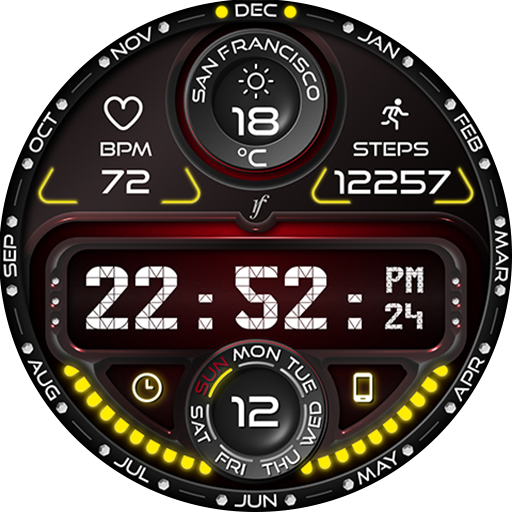
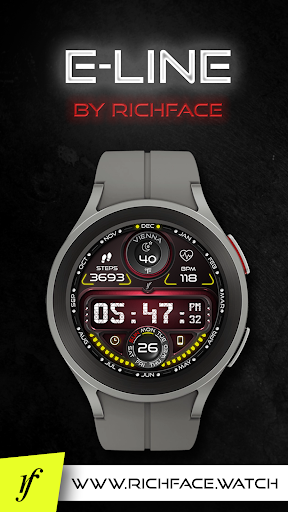
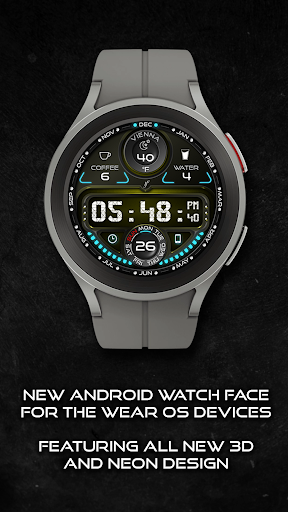
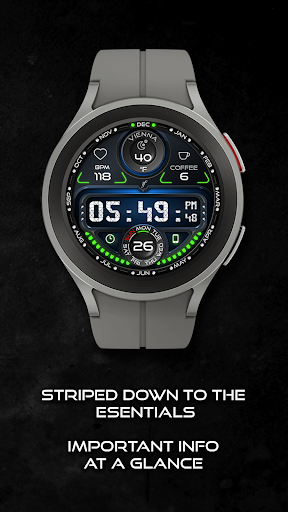
E-line watch face with neon lights is a fun and stylish watch face for your WearOS device.
Featuring bright neon lights and a sleek design, this watch face adds a touch of futuristic flair to your wrist.
The watch face features a digital display with the current time, date, and battery percentage.
It also has a customizable background color, so you can choose the perfect match for your personal style.
So why wait?
Try E-line watch face with neon lights today and add some neon sparkle to your daily routine!This watch face supports only WearOS by Google.NOT SUPPORTED: Samsung S2/S3/Watch on Tizen OS, Huawei Watch GT/GT2, Xiaomi Amazfit GTS, Xiaomi Pace, Xiaomi Bip, and other watches.
★ Built-in Complications
★ •
★ NEW!
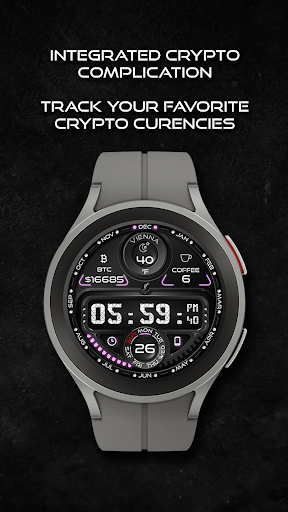
Crypto complication
★ • Steps (Built-in steps) • Weather • Heart Rate • Coffee and Water counter • External complication (The user selects which data sources they want in the complication)
★ Options
★ •
★ Crypto complication
★ • Vibrate every hour • Beep sound on every hour • Auto HeartRate monitor • Forecast (5 days) • Change color • 24-hour format • Leading zero • Screen time • Forecast • Full ambient mode option • Change color preset on tap • Tap indicator • Weather settings (location, providers, frequency update, units)
★ NEW Crypto Complication
★The complication gives you a option to select 2 crypto coins and watch them on top position.
In the settings, user is able to select frequent update.
★ Wear OS 3.0 support!
• Fully standalone!
(iPhone and Android compatible) • External complication data for the indicators
★ Device sensor complications: • Heart Rate monitor complication • Built-in Steps counter complication
★ FAQ
★ How to select a complication in the desired position
★- Long tap on the watch face- System shows the icon "gear" for the watch face settings.
Tap on it.- Select the "Customize" option - Select "Complications" option - Select the desired position - Select built-in complication or - Select External Complication • Select any third-party complicationYou are ready to go.Q: Do your watch faces support Samsung Active 4 and Samsung Active 4 Classic?A: Yes, our watch faces support WearOS smartwatches.Q: How to install the watch face?A: Follow these steps: 1.
Open the Google Play Store app on your watch 2.
Search for the watch face 3.
Press the install button Q: I bought the app on my phone, do I have to buy it again for my watch?A: You should not have to buy it again.
Sometimes the Play Store takes a bit longer to figure out that you already bought the app.
Any additional order will automatically be refunded by Google, you will receive the money back.
★
★
★ DISCLAIMER:
★
★
★ The watch face is standalone app but the complication for phone battery requires a connection with the companion app on Android phone devices.
iPhone users can not have this data due to iOS limitation.
★ Other FAQ find here:https://richface.watch/faq!!
Please contact us if you have any trouble with the app !!
[email protected]
★ PERMISSIONS Explainedhttps://www.richface.watch/privacy
https://andro.io/app/eline
 Power 100
Android app profile
E-Line Watch Face for Android – Latest Version & Features
by RichFace
★★★★★
(0 ratings)
Rate this app
How do you feel about E-Line Watch Face?
Thanks for your feedback!
> 2.2k
Monthly Downloads
~$900
Estimated Cost
Screenshots









