
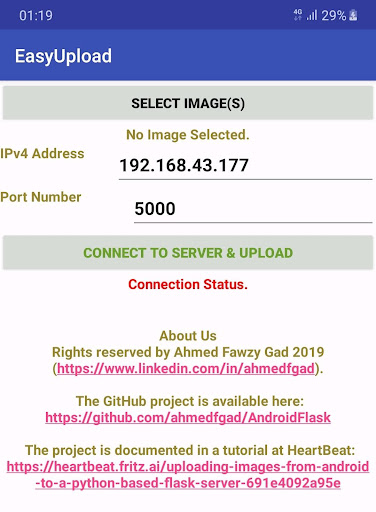
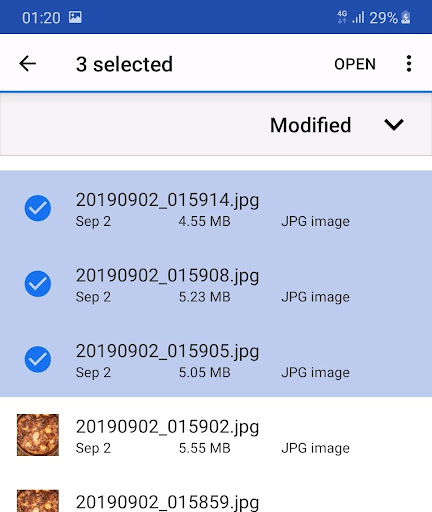
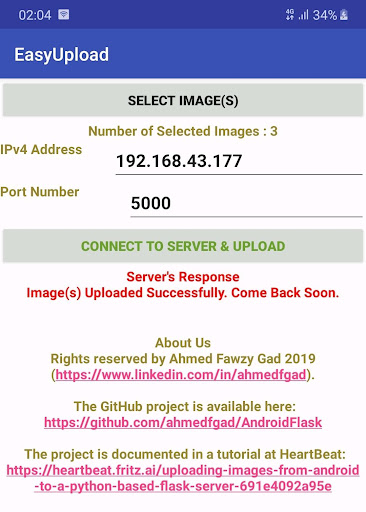
EasyUpload is a client-server project for uploading images from Android to a PC.The project is very simple.
Just select the images from the Android device, establish a connection to the server using its IPv4 address and port number, and then upload the images in a fast way.Download the server project from here: http://easyupload.sourceforge.netThe simplicity of using EasyUpload helps to avoid using Bluetooth for image transfer.The project just works for images and later it can work with any type of files.The source code of both the client and server apps are available in this GitHub page: https://github.com/ahmedfgad/AndroidFlaskThe project is documented in a Heartbeat tutorial titled "Uploading images from Android to a Python-based Flask server" available here: https://heartbeat.fritz.ai/uploading-images-from-android-to-a-python-based-flask-server-691e4092a95eLogo image from flaticon.com by phatplus (https://www.flaticon.com/authors/phatplus)
https://andro.io/app/easyupload
 Power 100
Android app profile
EasyUpload: Android to PC File for Android – Latest Version & Features
★★★★★
(0 ratings)
Rate this app
How do you feel about EasyUpload: Android to PC File?
Thanks for your feedback!
> 2.2k
Monthly Downloads
~$900
Estimated Cost
Screenshots




