
Whats Story Saver is a Story/Status Saver/Downloader App.
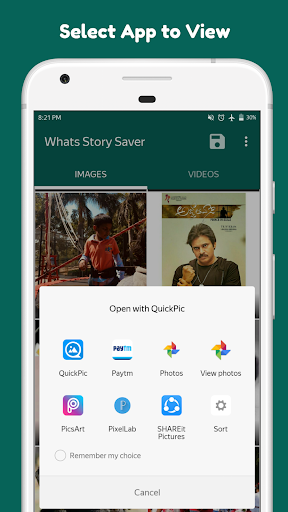
This is an ad-free app.It helps you to download your statuses and stories with ease and has amazing features.Features of Whats Story Saver:*Multiselect Feature to Save,Delete and Share..*Manage Saved Stories within the App(Tap on "Save Button" on Right Top).*No Annoying Ads, This is An Ad Free Story Saver Application.*Separate tabs for Images and Videos.*Open Images with Your Image Viewer App.*Open Videos with Your Video Player App.*Share Stories Directly without Saving Them.*Save Stories To Your Phone.*Deleted Stories From Your Phone.How To Save Stories in Whats Story Saver?Open Whats Story Saver.Go to Images/Videos Tab.Tap on Three Dot Menu.Now Tap on "Save" Button.How To View Image/Video Story Through Your Favourite App?open Whats Story SaverGo to Images/Videos Tab.Tap on Image/Video and Wait for 2 Seconds.Now Select Your Favourite App to See Image/Video.How To Delete Stories in Whats Story Saver?Open Whats Story Saver.Go to Images/Videos Tab.Tap on Three Dot Menu.Now Tap on "Delete" Button.How To Share Stories in Easy Whats Story Saver?Open Whats Story Saver.Go to Images/Videos Tab.Tap on Three Dot Menu.Now Tap on "Share" Button.Select The App You Want To Share The Image/Video.Note: Do not Share/Save others Image/Video Story without their consent.Permissions: Whats Story Saver takes only WRITE_EXTERNAL_STORAGE and READ_EXTERNAL_STORAGE Permission store images/videos to your phone local storage and view them respectively.
https://andro.io/app/easystorysaver



Android app profile
Whats Story Saver for Android – Latest Version & Features
by StudyApps
Power 100
Rate this app
How do you feel about Whats Story Saver?
Thanks for your feedback!
> 2.2k
Monthly Downloads
~$900
Estimated Cost
Screenshots




