
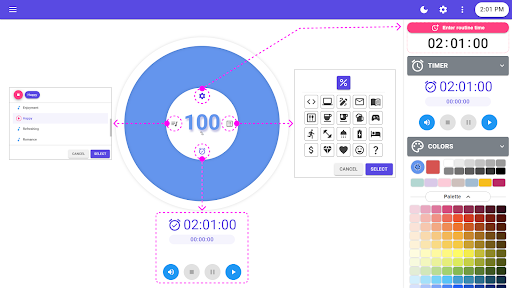
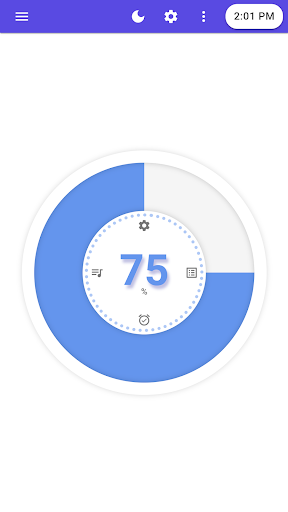
[[ Main features ]]- The timer time can be set up to 24 hours (0 seconds to 23:59:59).- The elapsed time can display more than 24 hours.
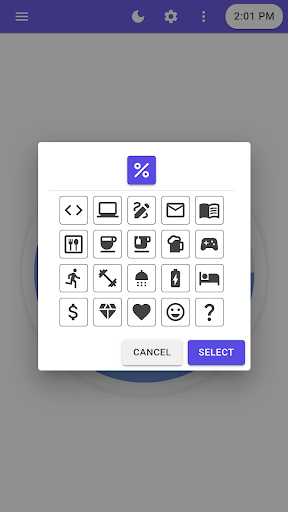
( 0 seconds to infinity )- The timers remaining time is displayed as a percentage to minimize distractions.- The timers time display shows "Time remaining" and "Elapsed time" together.- You can toggle between the timers "Time remaining" and "Time elapsed" to select the main display time.- The timers graph UI automatically adapts to different screen sizes on different devices.- When the timer ends, the UI color changes with a sound to enhance the visual impact of the alarm condition.- You can use the timers various routine icons for better focus and productivity.- Theme function support: “Use system settings” - “Light” - “Dark”- You can choose from different colors for routine icons.[[ Timer control panel functions ]]- Play: Start the timer.- Replay: Restarts the timers elapsed time from zero.- Pause: Pauses the timer and elapsed time.- Stop: Stops the timer and resets the elapsed time.- Mute: Turns the timers end-of-time alarm sound on or off.
https://andro.io/app/droutinetimer
 Power 100

Android app profile
Daily Routine Timer for Android – Latest Version & Features
★★★★★
(0 ratings)
Rate this app
How do you feel about Daily Routine Timer?
Thanks for your feedback!
> 2.2k
Monthly Downloads
~$900
Estimated Cost
Screenshots









