
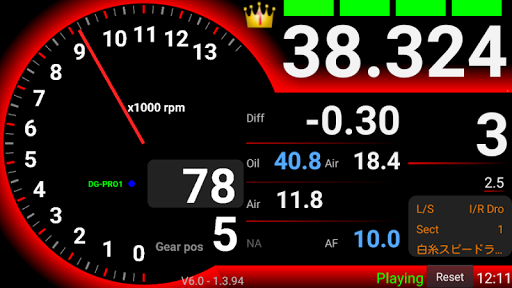
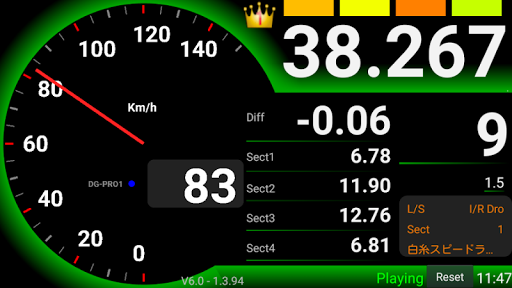
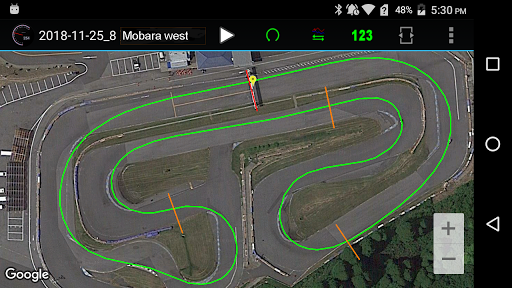
With this app only, you can display lap time measurement using GPS, display speed and logging.With the external Bluetooth GPS DG-PRO1, it is possible to measure very high precision and trace the line. You can buy DG-PRO1 from amazon.co.jphttps://www.amazon.co.jp/dp/B07LGQKXF6/ref=cm_sw_em_r_mt_dp_U_WLCjCbBRS89HM# When measuring lap time with app only1.
Open Drogger settings.
(Please swipe down the meter screen.
The gear mark at the top of the screen is "Drogger settings".)2.
Select [Lap time].3.
Enable [Prioritize GPSLap Sensor].4.
Please read the following article and add the circuit.
http://drogger.hatenadiary.jp/entry/2018/11/07/180351Please see the following for app details.http://drogger.hatenadiary.jp/entry/2017/10/16/091101Note: If you using "Drogger GPS", an external GPS app for Android, this app start "Drogger GPS service "automatically.https://play.google.com/store/apps/details?id=jp.bizstation.drgpsUsing an optional sensor unit, you can log engine RPM, wheel speed, water / oil temperature, air temperature, suspension stroke, throttle position, A/F value, voltage and so on.
Information of the sensor connected to the sensor unit is transmitted to Android by Bluetooth, and display / logging is done with this app.More detail...https://www.bizstation.jp/en/drogger/
https://andro.io/app/drogger
 Power 100
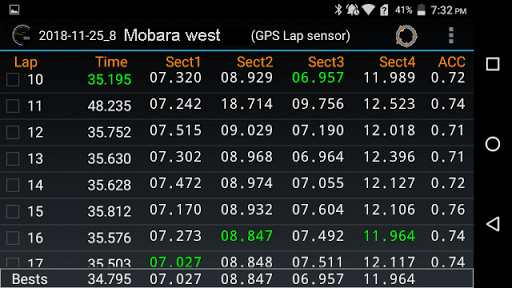
Android app profile
Drogger for Android – Latest Version & Features
★★★★★
(0 ratings)
Rate this app
How do you feel about Drogger?
Thanks for your feedback!
> 2.2k
Monthly Downloads
~$900
Estimated Cost
Screenshots









