
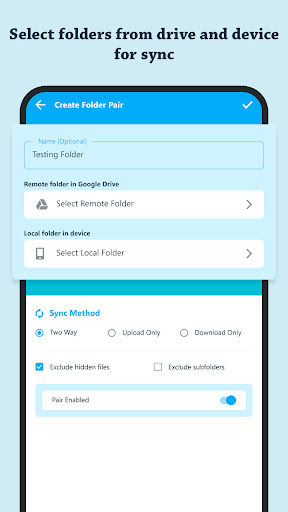
FolderAutoSync: File Backup is a simple, compact, and user-friendly app that allows you to sync device data to your Google Drive.=> Set Sync Folder PairYou just need select the google drive folder and local device folder for sync.
You can also set your sync method – Two-way, Upload Only, and Download Only.
You can also set sync file preference – exclude hidden files and exclude subfolders.=> Auto Drive Sync By enabling auto drive sync feature you can sync the data automatically after specified time interval.
You can set the auto drive sync interval time.
For auto drive sync, you can set the minimum battery level and preferred internet connection.
=> Sync StatusYou can view last sync time and duration.
You can also view next sync scheduled time.
It also displays the progress for uploading and downloading files.
Sync file stats shows you last sync total files - uploaded, downloaded, deleted in device, and deleted in drive.
It shows google drive storage - quota, used and available size.=> Sync HistoryYou can view all the sync history with time – uploaded files, downloaded files, or any errors occurred.
You can clear the history.
https://andro.io/app/driveautosync
 Power 100

Android app profile
FolderAutoSync: File Backup for Android – Latest Version & Features
★★★★★
(0 ratings)
Rate this app
How do you feel about FolderAutoSync: File Backup?
Thanks for your feedback!
> 2.2k
Monthly Downloads
~$900
Estimated Cost
Screenshots









