
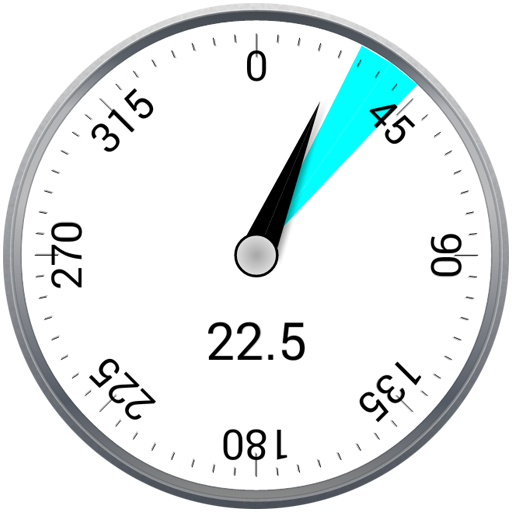
RivCross Driller Display is a Horizontal Directional Drilling (HDD) tool that monitors crucial drilling information, such as the magnetic probe tool face angle, in real time.
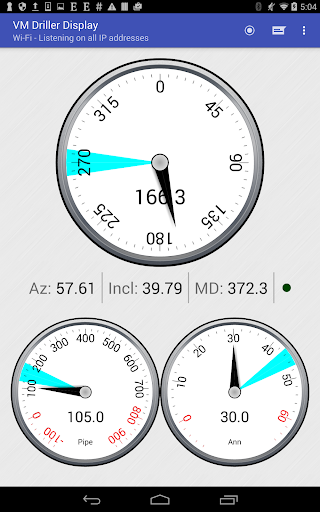
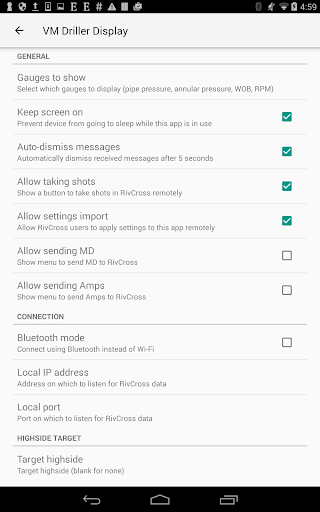
It is ONLY COMPATIBLE with RivCross, the HDD software suite released by Vector Magnetics.This app can display the following data from RivCross:- Magnetic probe tool face angle- Azimuth- Inclination- Measured depth- Pipe pressure- Annular pressure- Weight on bit (RivCross 4 only)- RPMsIt also includes the following features:- Support for connecting to RivCross via either Bluetooth or Wi-Fi- Customized gauge selection- Customized pressure and weight on bit gauge ranges- Customized target values for all gauges- Automatic warnings if pressure/weight on bit readings are too high or low- Notifications when shots are taken in RivCross- Notifications when messages are sent from RivCross- Ability to send messages to RivCross (RivCross 4 only)- Ability to take ParaTrack2 shots in RivCross (RivCross 4 only)For more information, please download the users guide from:http://vectormagnetics.com/support/hdd/documentation (after login) as "Android Driller Display App User Guide V1.5"The Bridge program (required for Bluetooth in RivCross 3.2.8) is available at:http://vectormagnetics.com/support/rivcross3 (after login) as "Bluetooth Bridge for use with Android App".Permissions:Internet – Open network socketsBluetooth – Connect to paired Bluetooth devicesAccess Wi-Fi State – Access information about Wi-Fi networksChange Wi-Fi State – Change WiFi connectivity stateEULA: http://vectormagnetics.com/support/hdd/documentation (after login) as "VM Driller Display End User License Agreement.txt"Privacy: we respect your privacy!
https://andro.io/app/drillerdisplay
 Power 100


Android app profile
RivCross driller display for Android – Latest Version & Features
★★★★★
(0 ratings)
Rate this app
How do you feel about RivCross driller display?
Thanks for your feedback!
> 2.2k
Monthly Downloads
~$900
Estimated Cost
Screenshots









