
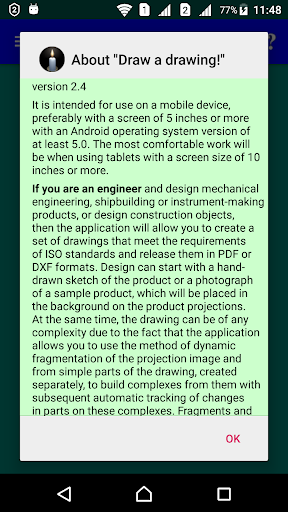
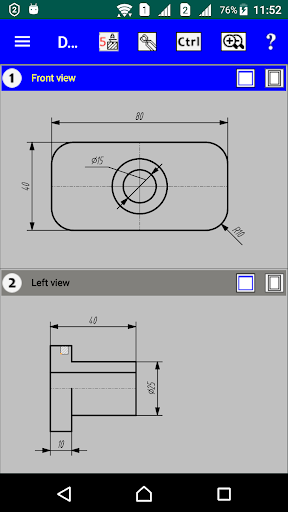
CAD for creating full-fledged engineering drawings for various purposes according to ISO standards from a clean slate, fragments for them in DXF format, synthesizing 3D wireframe objects according to its flat projections, creating opaque shells for 3D objects and development them on the cutting plane.This application is also applicable wherever you just need to draw a drawing by dimensions.The application can also be useful for those who are engaged in individual tailoring, since with its help you can digitize and make changes to patterns of any styles and issue new templates for them either for printing via a PDF file, or in files in AAMA and DXF formats.The application supports two types of building spatial models:1.
Building a model by creating shells from surfaces - NURBS technology (it is described in detail in application to clothing design) and2.
An additive method of constructing a model in the form of a bas-relief by “pulling” it from any three-dimensional surface.Creating a bas-relief also has applications for marking 3D objects with any surface.Designed for use on a mobile device with a screen of 5 inches or more with a resolution of at least 1080x1920.It is recommended to watch the video tutorial https://www.youtube.com/watch?v=T-7ZOpcrRX8&t=168s and on the site https://drawingwork.net download the book "Application Guide" in PDF format for free.
Ask questions by mail: [email protected] application has restrictions on the use of some functions.
A list of them as a reminder is shown between construction steps.
If the user wants to use all the functions of the application, this can be done using the "Enable all functions" function in the prompt menu list "?".
This will offer a period for agreeing to a subscription to use the application.
After this period, the app will start showing the list of restricted features again.Reading the built-in application description is always available without restrictions.
It completely repeats the book "Guide to using the application".
https://andro.io/app/drawingwork
 Power 100


Android app profile
CAD Draw a drawing! Create 3D for Android – Latest Version & Features
by KEDRWIN
★★★★★
(0 ratings)
Rate this app
How do you feel about CAD Draw a drawing! Create 3D?
Thanks for your feedback!
> 2.2k
Monthly Downloads
~$900
Estimated Cost
Screenshots









