
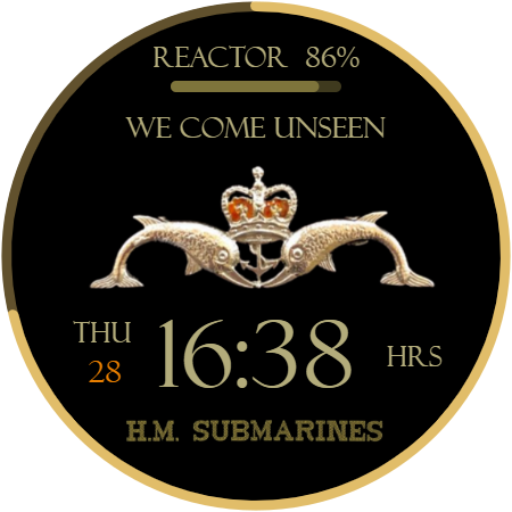
For Wear OS.Wear OS HM Submarines Digital Watch face.This watch face contains the Watch Battery indication, Day & Date, and Time zone.WATCH FACE INSTALLATION NOTES:Please check this link for the installation and troubleshooting guide:https://darylwilkes.wixsite.com/5thwatchThis watch face supports all Wear OS devices with API Level 30+, like Samsung Galaxy Watch 4, Galaxy Watch 5, Galaxy Watch 6, Pixel Watch, etc.FEATURES:- 12 & 24hr Digital Time- Five Font Colours to choose from- Day & Date Indication- Watch Battery level- We Come Unseen Motto- HM Submarines Dolphins- HM Submarines Cap Tally- Screen dims at 10% battery to preserve Watch life- Lest we forget, the image is displayed from 25/10 to midnight 11/11 every year automatically- Always ON Display supported with minimal style- Changeable colors of time, date, day, seconds, foreground, bars, goal and battery gauges, and general colors.Customization:1 - Touch and hold display2 – Five Colours to choose fromPreset APP Shortcuts:NoneComplications:NoneFACEBOOK:INSTAGRAM:WEB:https://darylwilkes.wixsite.com/5thwatchThank you.
Please leave a review.INSTALLATION--------------------------------------------------------------------------------------------------------------To install the OS Wear watch face, you have two options:Using a PC/Laptop/Mac (Not mobile phone/mobile device):• Open a web browser on your computer.• Go to the Google Play Store website (play.google.com).• Search for the OS Wear watch face you want to install.• Once you find the desired watch face, click the “Install” or “Buy” button.• Choose the device you want to install the watch face on (your OS Watch).• Confirm the installation.
The watch face will be downloaded and installed on your OS Watch.Using the Google Play Store on the OS Watch itself:• On your OS Watch, navigate to the app menu or the main screen.• Look for the “Play Store” app icon and tap on it.• Once the Play Store is open, use the search function to find the OS Wear watch face you want.• Select the desired watch face from the search results.• Tap on the “Install” or “Buy” button.• Grant any necessary permissions if prompted.• The watch face will be downloaded and installed directly on your OS Watch.Remember, if you install the watch face through the Google Play Store on your OS Watch, ensure a stable internet connection for a smooth download and installation process.--------------------------------------------------------------------------------------------------------------Please leave a review.
https://andro.io/app/digital-ytn6
 Power 100


Android app profile
5W001 HM Submarine Digital for Android – Latest Version & Features
★★★★★
(0 ratings)
Rate this app
How do you feel about 5W001 HM Submarine Digital?
Thanks for your feedback!
> 2.2k
Monthly Downloads
~$900
Estimated Cost
Screenshots









