
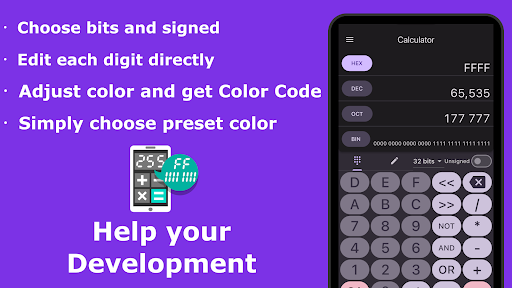
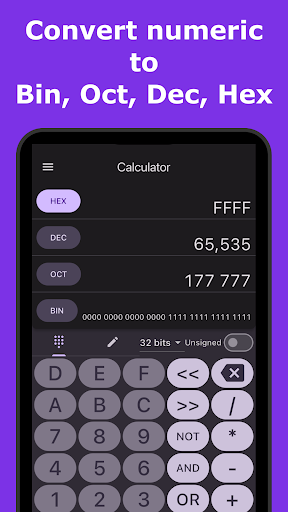
** Introduction **This is a calculator app to help System Developers and Programmers.Convert numeric to binary, octal, decimal, hex immediately.You can set conversion bit number and signed/unsigned, so you can adjust settings for binary, short, int, long.Also you can get clolor code for system application from RGB and Color Picker.And you can choose preset color simply.** Overview ** - Convert numeric to binary, octal, decimal, hex immediately.
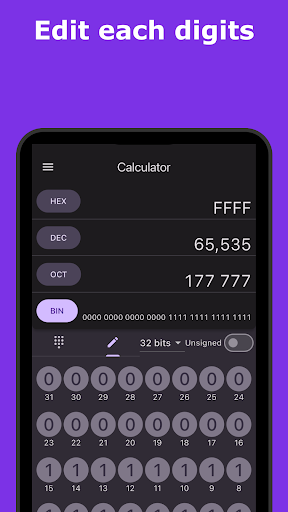
- You can edit each digits for detailed confirmation.
- You can get color code from RGB, HSL, HSV and Color Picker.
- Using preset color, you can get color code quickly.** Characteristics **>> Numeric conversion - You can input numeric in binary, octal, decimal, hex.
- You can choose bits size from 8bits, 16bits, 32bits, 64bits.
- You can choose signed numeric or unsigned numeric.
- you can edit each digits directly.>> Color code - You can see a color code in RGB, HSL, HSV and Hex.
- Support alpha channel of color.
- You can get a color code from RGB, HSL, HSV adjuster and Color Picker.
- You can get a color code just by choosing a preset color.** Permission **>> INTERNET, ACCESS_NETWORK_STATE - To load ads.** Developer website **http://coconuts.boy.jp
https://andro.io/app/devcalc
 Power 100

Android app profile
Dev Calc -Developer Calculator for Android – Latest Version & Features
by Tossy
★★★★★
(0 ratings)
Rate this app
How do you feel about Dev Calc -Developer Calculator?
Thanks for your feedback!
> 2.2k
Monthly Downloads
~$900
Estimated Cost
Screenshots









