
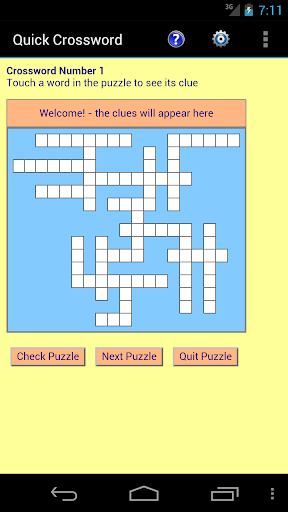
Quick Crossword is a colourful way to test your wits and vocabulary.
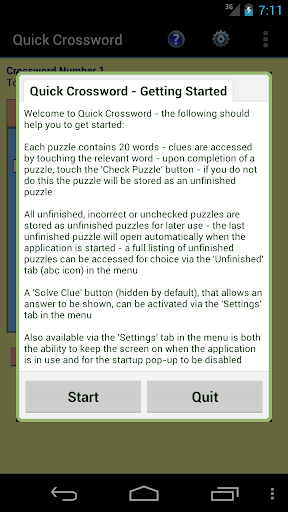
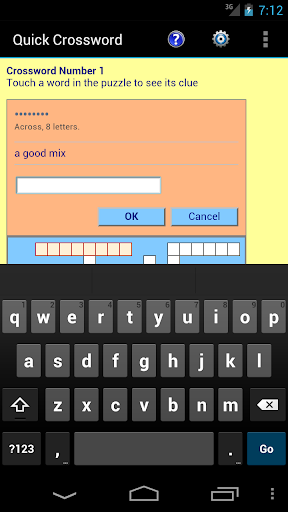
Each crossword puzzle contains 20 words - clues are accessed by touching the relevant word - upon completion of a puzzle, touch the Check Puzzle button - if you do not do this the puzzle will be stored as an unfinished puzzle.All unfinished, incorrect or unchecked puzzles are stored as unfinished puzzles for later use - the last unfinished puzzle will open automatically when the application is started - a full listing of unfinished puzzles can be accessed for choice via the Unfinished tab in the menu.A Solve Clue button (hidden by default), that allows an answer to be shown, can be activated via the Settings tab in the menu.Also available via the Settings tab in the menu is both the ability to keep the screen on when the application is in use and for the startup pop-up to be disabled (and replaced by a Help section in the menu when the application is restarted).Pinch & Zoom support for enabled devices.Suitable for both Smartphones & Tablets.50 puzzles are available within the application.
https://andro.io/app/crossword-plus
 Power 100

Android app profile
Quick Crossword+ for Android – Latest Version & Features
★★★★★
(0 ratings)
Rate this app
How do you feel about Quick Crossword+?
Thanks for your feedback!
> 2.2k
Monthly Downloads
~$900
Estimated Cost
Screenshots









