
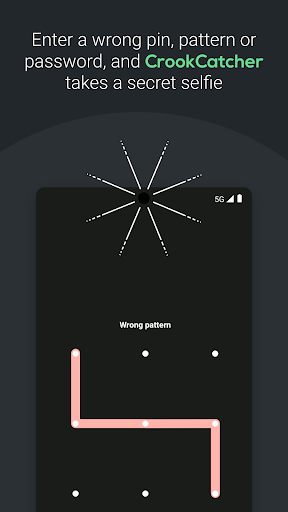
CrookCatcher is an app that takes a picture when someone tries to unlock your phone with the wrong PIN, password or pattern.
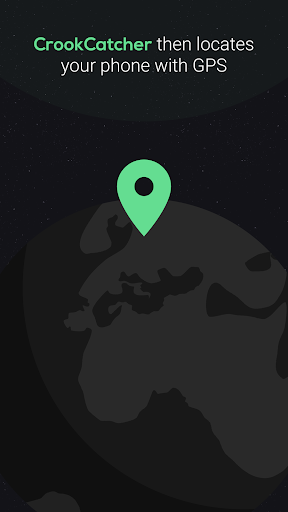
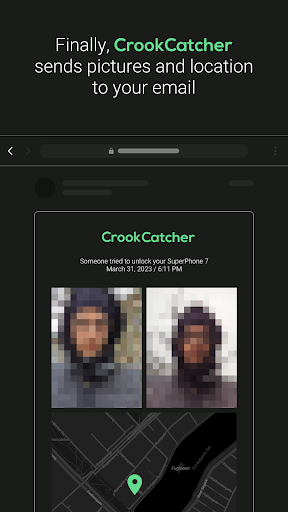
It then secretly emails you the picture, the GPS location and estimated address of your phone.
CrookCatcher helps thousands around the world protect their phones from thieves and unauthorized users.
🌐 Worldwide in useWith over 5 million downloads, CrookCatcher has helped countless people worldwide identifying thieves and recovering stolen phones.
🔒 Androids built-in lock screen protectionCrookCatcher utilises Androids built-in lock screen for a seamless and secure experience.
🔋 BatteryCrookCatcher is only active upon incorrect password, PIN, or pattern entries, remaining idle at other times to save battery
💤.
🥳 Essential Features (Free)
✅ Take picture
✅ Find phone GPS location
✅ Send alert emails with picture and location⭐⭐ PRO Features ⭐⭐
✅ Take multiple pictures with both cameras
✅ Record sound clip
✅ Sound alarm
✅ Show custom message to thief on lock screen
✅ Show a fake home screen: if someone forces you to hand over your unlocked phone
✅ Take a picture when someone unlocks the phone successfully after previous failed attempts
✅ Postpone sending email if phone has no internet connection
✅ Change email subject: so a thief doesnt see revealing email notifications
✅ Lock the app with a pattern
✅ Disguise app: change CrookCatcher icon to a files icon.
✅ No ads
🧪 Experimental featuresEnhance your devices security by blocking the power menu, quick tiles menu, and notification shade on the lock screen.
This feature automatically turns off the screen and captures pictures if unauthorized access is detected.
Please note that this is an experimental feature and may not be compatible with all devices.
CrookCatcher utilizes the accessibility permission to detect and control these elements on the lock screen.
(Currently being rolled out.)
🔑 Device Administrator PermissionThis app uses the Device Administrator permission to securely monitor unlock attempts.
❗ Important Notes- Due to Android security precautions, your phone must be unlocked once after reboot for CrookCatcher to access the camera.- CrookCatcher does not support pop-up cameras or fingerprint errors.- On android 13 and above, you will see a mandatory system notification when the camera is in use.
🛠 Help & SupportFor more information please visit www.crookcatcher.appFor frequently asked questions, please visit www.crookcatcher.app/helpTo learn how CrookCatcher respects your privacy, please visit www.crookcatcher.app/privacy.
Protect your phone from theft and unauthorised access with CrookCatcher!
https://andro.io/app/crookcatcher
 Power 100

Android app profile
CrookCatcher — Anti theft for Android – Latest Version & Features
by CrookCatcher
★★★★★
(0 ratings)
Rate this app
How do you feel about CrookCatcher — Anti theft?
Thanks for your feedback!
> 2.2k
Monthly Downloads
~$900
Estimated Cost
Screenshots









