
CPR BAND for Training is a small, lightweight educational device that uses rechargeable batteries and is worn on the wrist.
This device is designed for trainer and trainee educated in using CPR and the CPR BAND for Training.CPR BAND for Training provides real-time information about chest compression according to the latest CPR guideline.
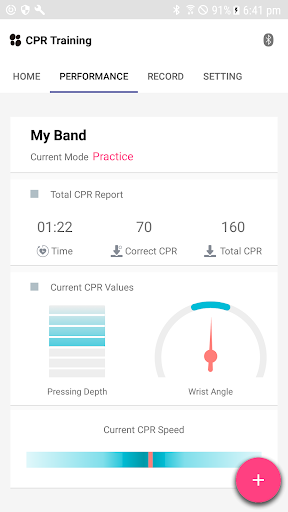
This device displays CPR feedback indicator for the chest compression depth.
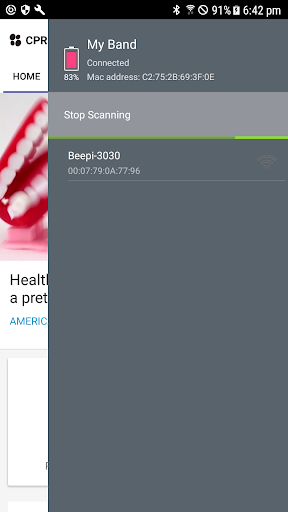
It guides chest compression rhythm through sound and indicates the total chest compression time and number of chest compressions.CPR BAND for Training can send CPR records of multiple CPR BAND for Training with one Bluetooth-enabled Tablet PC, and you can check the information on mobile application.
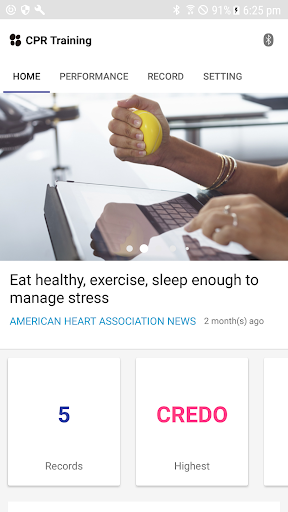
The application can receive information that is not displayed by CPR BAND for Training and can display a comprehensive CPR record, such as compression posture, compression depth average, compression rhythm average and chest compression graph.Trainer can educate multiple trainees at the same time with the application, and can view reports by date.How to use CPR BAND for Training1.
Recharge CPR BAND – If the cable is disconnected during charging or the charging is completed, the product will be turned off.
When the user turns on the product, the battery amount is displayed for 1 second and then the product will be ready state.2.
Power ON!
– If you press the button, CPR BAND for Training turn into ‘Single Ready’ state.
If you press the button again, it enters ‘Single CPR mode.’3.
Connecting Application – If you scan the QR code, you will be connected to the application install link.
After you run the application, the login screen appears.
If you do not have an account, sign up and login.4.
Practice – If the trainer wants to train and practice, select [Practice].
Select [Ready] to stop the raining and return to the Ready mode.5.
Evaluation – If the trainer wants to evaluate, select [Evaluation].
The evaluation takes 2 minutes.6.
Record – CPR evaluation reports can be converted to PDF files for e-mailing or printing.
https://andro.io/app/cpr-training-self
 Power 100

Android app profile
CPR Band for Self Training for Android – Latest Version & Features
by Credo Corp
★★★★★
(0 ratings)
Rate this app
How do you feel about CPR Band for Self Training?
Thanks for your feedback!
> 2.2k
Monthly Downloads
~$900
Estimated Cost
Screenshots









