
This Counter is easy to use and was designed simply.This app is suitable for children and elderly to use.Since it was designed simply, it only have few buttons, including " + ", " - " and the "Reset" button.
"+" button is to increase the value that you are counting and "-" is to decrease the value.
After you finish your counting, you can click the "Reset" button to reset* the value back to zero.Since the app will automatically store your counting value inside your device, you do not have to worry that the counting value will be lost after rebooting your device.Also, you can save your current value by pressing the "Save" button.
Then your record will be saved in the History record.
If you want to check the history, just press the "History" button.
You can save up to 10 records in the History.
When the number of records are full, you have to delete* the history to store more records.
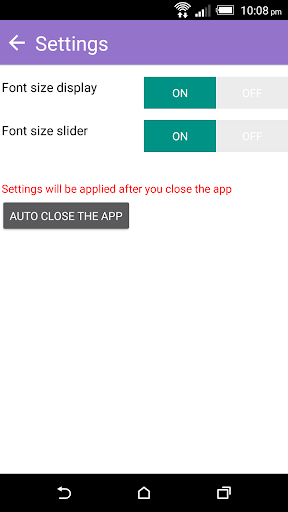
In terms of the user interface, users can adjust the font size of the counting value, so that the app becomes more flexible.
If you do not want to set the font size settings on the home screen, you can hide them in settings.*After pressing the "Reset" button, all your counting data will be deleted and cannot be restored.
But once you start counting, the app will start record the value again# To avoid pressing the delete button mistakenly, you have to press for a few seconds (about 2-3 seconds) to delete the counting value or the history.
https://andro.io/app/counter-14tgv
 Power 100



Android app profile
Counter for Android – Latest Version & Features
★★★★★
(0 ratings)
Rate this app
How do you feel about Counter?
Thanks for your feedback!
> 2.2k
Monthly Downloads
~$900
Estimated Cost
Screenshots









