
LG TV Remote Control was designed with care to try and bring users an overall better experience.
You can control your LG webOS smart TV from your smartphone easily.The LG Remote is the perfect accessory for your LG Smart TV.
Its easy to use, and it even has a built-in keyboard so you can type in text.
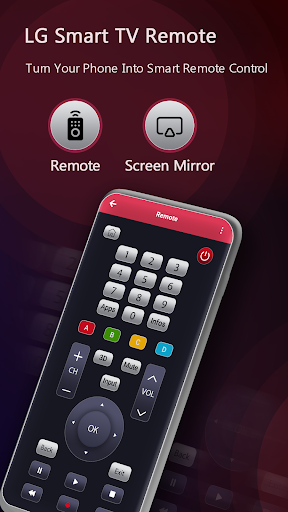
The remote control is designed with simple navigation that makes finding what you want fast and easy.LG TV Remote Control connects to your smart TV over WiFi and lets you turn your TV on and off, change channels, control the volume, enter text using a real keyboard, control all smart TV features, and much more.Features:• No Additional Setup required, our app automatically scans for your device• View all your TV channels and Launch channels directly from the application.• Adjust your TVs volume and toggle the input.
• Navigate using D-pad or Swipe-Pad.
• Navigate Smart TV features• Built with material design.• Add multiple Smart TVs to the app and control them from one place.• Quick access to built-in smart apps like NetflixDisclaimer: This app is not affiliated with LG or any other trademark mentioned here.
https://andro.io/app/controls-1k6hq
 Power 100


Android app profile
Remote for LG TV | webOS for Android – Latest Version & Features
by Arata Shamon
★★★★★
(0 ratings)
Rate this app
How do you feel about Remote for LG TV | webOS?
Thanks for your feedback!
> 2.2k
Monthly Downloads
~$900
Estimated Cost
Screenshots









