
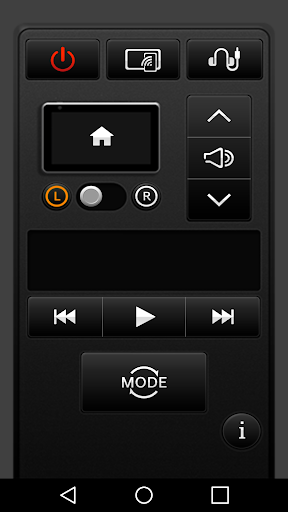
The RSE REMOTE App allows you to remotely control the RSE using your smartphone.
(RSE: Motrexs Rear Seat Entertainment)*RSE REMOTE must be needed RSE hardware device.Use the RSE REMOTE App to connect the RSE to your smartphone to conveniently operate the USB, DVD, and Audio features from the front passenger seat.RSE REMOTE App is used to control the following.1.
RSE Power2.
RSE Audio3.
RSE DVD Player4.
RSE USB MEDIA Player5.
RSE HDMI Settings6.
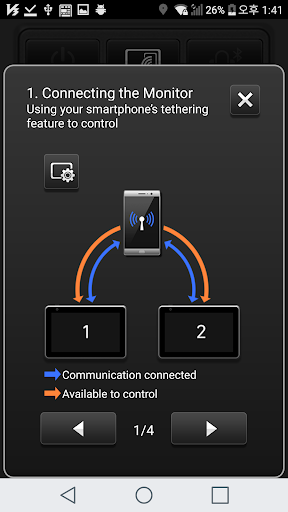
RSE AV-In SettingsSetting up the RSE REMOTE AppConnect the RSE with your smartphone using the smartphone Hotspot or Wi-Fi.1.
Turn on the smartphone Hotspot.2.
After connecting the RSE with your smartphone, use the Search feature from the RSE REMOTE App features to conduct a search.3.
When seat setup is displayed in the RSE (displayed only once), select L/R according to seat position and press Search once more.4.
RSEs available for connection are shown with white L/R buttons while already-connected RSEs are shown in orange.
https://andro.io/app/controller-1r1fn
 Power 100

Android app profile
RSE REMOTE for Android – Latest Version & Features
by Motrex
★★★★★
(0 ratings)
Rate this app
How do you feel about RSE REMOTE?
Thanks for your feedback!
> 2.2k
Monthly Downloads
~$900
Estimated Cost
Screenshots









