
Still using a traditional geological compass?This is probably the best geological compass to use!In just a few steps, you can easily display the direction, inclination, and inclination of the measurement, and record each measurement with a photo.1.
RecordPlace the handheld device on the level to be measured, and click the record button to record the position and coordinate information in the handheld device.A picture is worth a thousand words, click the camera button to record the picture and its coordinate information on the handheld device.2.
UploadUpload the records of this business to the cloud space and manage it in a project mode.3.
DisplayThe project list can be viewed on the mobile phone, and the relevant data of each project can be viewed4.
ShareLele alone is not as good as everyone, share the observed position and photo data with communication software in real time!!function button:1.
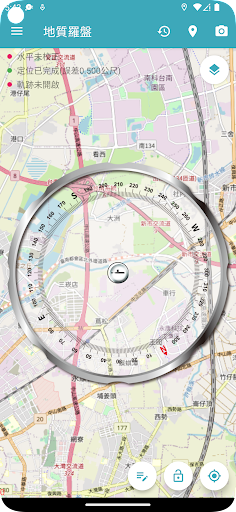
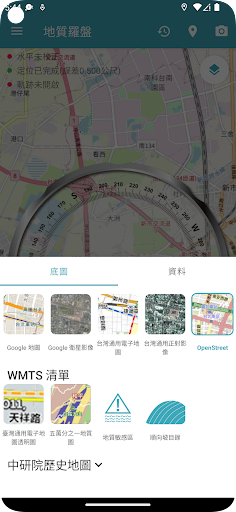
Measure the position: There is no need for cumbersome steps, and the position measurement is in place at one time.2.
Photo: Record the location of each photo and display it on the map.3.
Lock measurement status: lock the screen to view records more easily.4.
GPS: Use GPS positioning to get the current location.5.
Measuring instrument calibration: The accelerometer of the mobile phone can be calibrated to obtain more accurate values.6.
Upload: After registration and login, the records of each survey can be easily stored, and the results can be viewed on the comprehensive map platform of the geological cloud network.
https://andro.io/app/compass-1rxnn
 Power 100


Android app profile
地質羅盤2.0 for Android – Latest Version & Features
by 捷連科技
★★★★★
(0 ratings)
Rate this app
How do you feel about 地質羅盤2.0?
Thanks for your feedback!
> 2.2k
Monthly Downloads
~$900
Estimated Cost
Screenshots









