

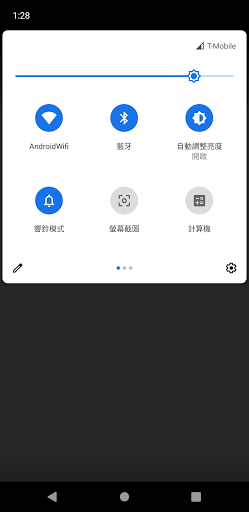
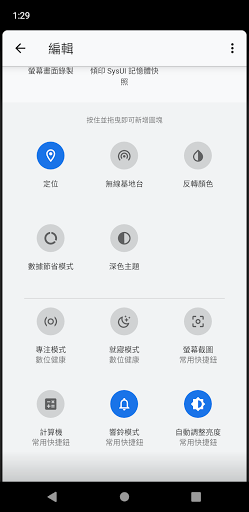
Various quick buttons are provided in the drop-down shortcut columnScreenshot: Provides you with an alternative method of taking screenshotsComputer: Allows you to quickly start your computer from any AppRing mode switching: You can switch between ring, vibrate and silent modes without calling the volume control interface.Automatic brightness switch: Quickly switch automatic brightness on and offScreen Lock: Provides another option to lock the screenPower: Provides a way to bring up the power menu without constantly pressing the power button.1.
All functions use native system functions2.
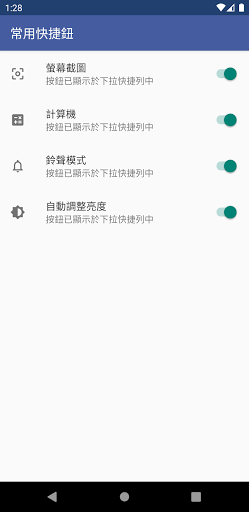
You can decide whether the button appears in the drop-down shortcut bar in the App settings.3.
No advertising, no data collection-------------------The "Screenshot", "Screen Lock", and "Power" functions of this application require the "Accessibility Service" permission to be enabled in order to be used.
If you activate the quick buttons for these functions, you will automatically be reminded whether to enable the permission during use.
In addition, the AccessibilityService of this application does not collect any data and is only used for three system operations.
https://andro.io/app/commonquicksetting
Rate this app
How do you feel about 常用快捷鈕?
Thanks for your feedback!
> 2.2k
Monthly Downloads
~$900
Estimated Cost
Screenshots









