
Taking notes with Notepad is easier than any other apps.DescriptionIt features two basic note taking formats, a lined-paper styled text option, and a checklist option.
Add as many as you want to your list, which appears on the apps home screen each time the app opens.
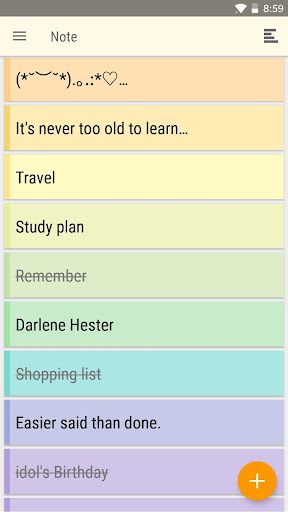
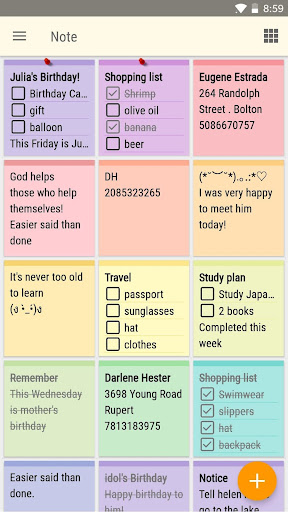
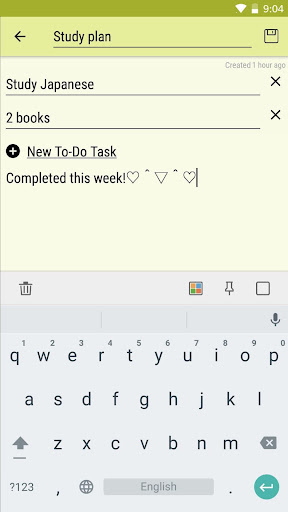
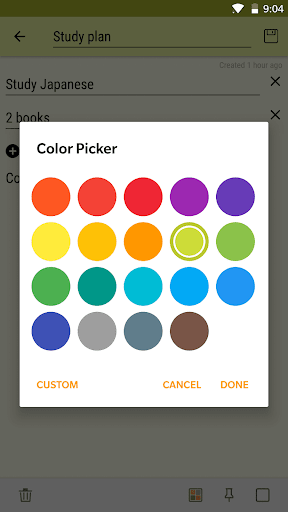
This list will be viewed in traditional ascending order.Features#Organize notes by color.#Checklist notes for To do list & Shopping list.#Checklist notes to get things done.#List/Grid View.#Quick memo / notes.How to use->Taking a Note Serving as a simple word processing program, the text option allows for as many characters as youre willing to type.
Once saved, you can edit, share, set a reminder, or check off or delete the note through your devices menu button.
When checking off a text note, the app places a slash through the lists title, and this will be displayed on the main menu.->Making To do List & Shopping ListIn the checklist mode, you can add as many items as youd like and arrange their order with drag buttons activated in the edit mode.
After the list is finished and saved, you may check or uncheck each line on your list with a quick tap, which will toggle a line slash.
If all items have been checked, then the lists title is slashed as well.
https://andro.io/app/colornote-1d89y
 Power 100
Android app profile
Notepad - Colorful Notes for Android – Latest Version & Features
by EZ Mobile
★★★★★
(0 ratings)
Rate this app
How do you feel about Notepad - Colorful Notes?
Thanks for your feedback!
> 2.2k
Monthly Downloads
~$900
Estimated Cost
Screenshots









