
Note: this is an early access beta that may have bugs and UI polish issues.
Please read to the end before installing.Modern vehicles since the 1990s have one or more CANbus networks, which carry signals that contain vehicle information between various systems in the car.
The CANdash uses a CANserver to convert these signals into a useful dashboard for your Tesla Model 3 or Model Y.
The S3XY Buttons Commander module from Enhanced Auto also supports CANdash, without any Autopilot or blind spot functionality.The Tesla Model 3 and Y have a single large display in the center of the car that contains all information needed to drive the car and operate controls.
Unlike virtually all other cars, there is no display in front of the driver, and instead instrumentation is placed in the top corner of the screen on the driver’s side of the display.
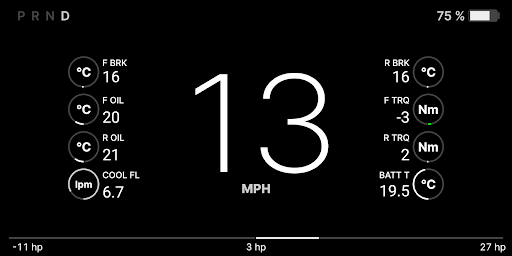
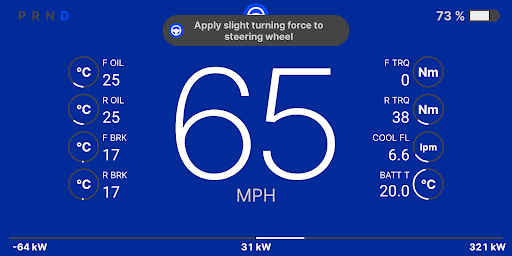
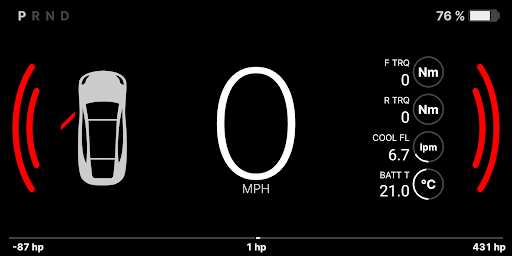
CANdash has the following features: Speed Distance to empty State of charge Selected Gear Live Blind Spot monitoring Emergency Blind Spot alerting when changing lanes into traffic Front and rear motor temperature and torque Coolant Flow Battery Temp Live power display in HP or kW Autopilot availability Autopilot alerts for hands on wheel Door/Aperture open alerting Automatic night mode based on vehicle status Manual night mode for those who prefer dark mode Supports Android 6.0.1 to 12 CANdash is also 100% compatible with Android split screen, so that you can run the CANdash along your favorite navigation app like Waze or Google Maps, or even a music or podcast app if you prefer.To access this information, the CANdash uses a CANserver, which is a small hardware device that installs under the passenger seat and connects to vehicle wiring to capture and broadcast this data to a receiving device over wifi.To learn more and purchase a CANserver, visit http://www.jwardell.com/canserver/ If you have a CANserver installed and working, please read these instructions on how to get up and running:https://docs.google.com/document/d/11DYqkQ2eWFue0bR66qUWVF5_6euptgp7TTww1DNXKFE/edit?usp=sharing
https://andro.io/app/cluster-t5la
 Power 100

Android app profile
CANdash for Android – Latest Version & Features
by CANDash
★★★★★
(0 ratings)
Rate this app
How do you feel about CANdash?
Thanks for your feedback!
> 2.2k
Monthly Downloads
~$900
Estimated Cost
Screenshots




