
Working from home?
Use Clonlee to copy paste data from your whatsapp to your pc.
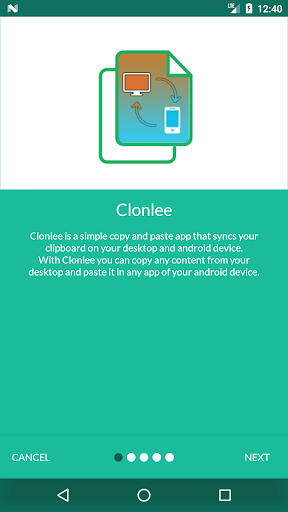
You can also copy data from your email and paste on your whatsapp app to send it to your colleagues.Clonlee - Clipboard Copy is a cloud clipboard app that can be used for quickly copying and pasting text between windows/MAC system and android device.Why use Clipboard Copy over other?Clipboard App or Clipboard Copy features are mentioned below.
Other than that it makes your life easier to sync your clipboard from PC and Mobile.Features of Clipboard App+ Clipboard Copy1.
To copy from device go to any application from which you want to copy text, long press on the text, select it and copy the text.e.g : Long press on the textfield above and copy the text2.
To copy from the desktop/pc, simply copy any text by pressing "ctrl + c"(yes the default copy-paste mechanism).+ Clipboard Paste1.
To paste on the desktop/pc, simply paste it by pressing "ctrl + v".2.
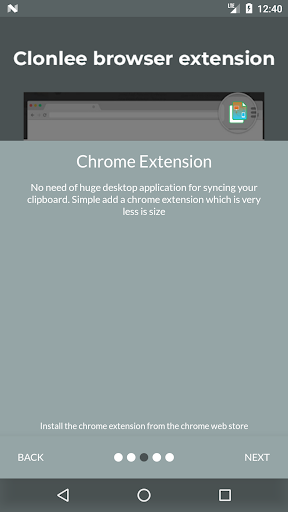
To paste on the device, go to any app, long press on the textfield and select paste.CHROME EXTENSIONTo use Clonlee - Clipboard App, Clipboard Copy, you will need to use chrome extension.You can download clonle chrome extension from the following linkhttps://chrome.google.com/webstore/detail/clonlee/hdkaeefbohngdnbegdhklcoaomamjjdgORSearch for Clonlee in chrome webstore https://chrome.google.com/webstoreDownload Clonlee - Clipboard App, Clipboard Copy NOW!*Note: The copy feature from mobile to windows machine doesnt work on Android Q(Android10) due to the platform restriction.
We are working on that to make the experience smooth.tag: clonle, clonli, clonly
https://andro.io/app/clonlee
 Power 100

Android app profile
Clonlee - Clipboard App, Copy for Android – Latest Version & Features
by Hardik4560
★★★★★
(0 ratings)
Rate this app
How do you feel about Clonlee - Clipboard App, Copy?
Thanks for your feedback!
> 2.2k
Monthly Downloads
~$900
Estimated Cost
Screenshots









