
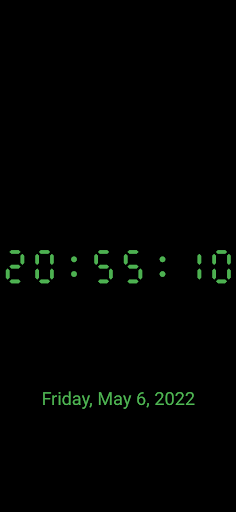
Grebulons Big Clock Screen Saver app turns your old useless device into a large full screen digital clock when the phone is sleeping.The clock can show the time in various forms (24h, with or without seconds, etc.), fonts and colors.
It can optionally also show the date (again in various forms).
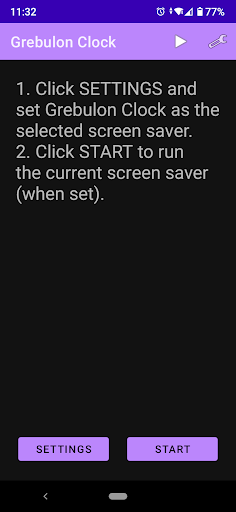
The clock is stationary - it doesnt move.To set-up the screen saver, open the app and click on the settings button.
It will take you directly to the phones screen saver settings.
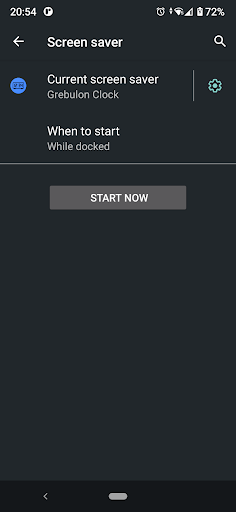
Alternatively open Androids settings -> Display -> Screen saver.Select "Grebulon Clock" and click on the gears icon to customize it.
You can change the color, the time and date format (date can be hidden) and opt to show the time with or without seconds.The clock will start depending on the screen saver settings.
Usually its set to start when the phone is charging.All for free, no ads, no special permissions, no tracking!
https://andro.io/app/clock-q41s
 Power 100

Android app profile
Big Clock Screen Saver for Android – Latest Version & Features
by grebulon
★★★★★
(0 ratings)
Rate this app
How do you feel about Big Clock Screen Saver?
Thanks for your feedback!
> 2.2k
Monthly Downloads
~$900
Estimated Cost
Screenshots




