
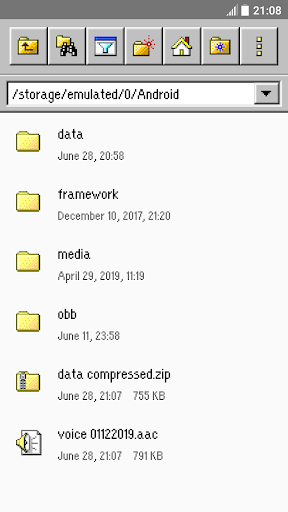
Fast, easy-to-use and full-featured file manager app with classic graphic user interfaceFile Manager Classic is a free tool that helps you find file faster, manage files easily, and share them offline with others.
It supports tons of cool features: quick search, moving, deleting, opening, and sharing files, as well as renaming, unzipping, and copy-paste.
File Manager Classic also recognizes multiple file formats, including music, videos, images, documents, APKs, and zip-files.
Key features:- Very small app size- Simple and easy-to-use, with computer classic graphic user interface- Basic features like cut, copy, delete, compress, extract etc.
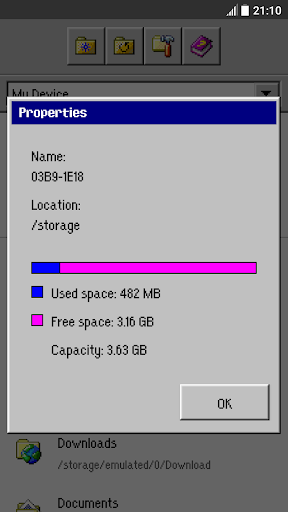
easily accessible- Storage: View your storage stats and manage all folders on your device.- Quickly access history, access bookmarks or search for any file- Multiple file formats support: Open videos, music, documents, APKs, and compressed files with one tap.- File compression: Compress and decompress archives.- Manage multiple files: Select multiple files for the same operation.lots more...
https://andro.io/app/classic-1gndr
 Power 100


Android app profile
File Manager Classic for Android – Latest Version & Features
by Gesture guy
★★★★★
(0 ratings)
Rate this app
How do you feel about File Manager Classic?
Thanks for your feedback!
> 2.2k
Monthly Downloads
~$900
Estimated Cost
Screenshots









