
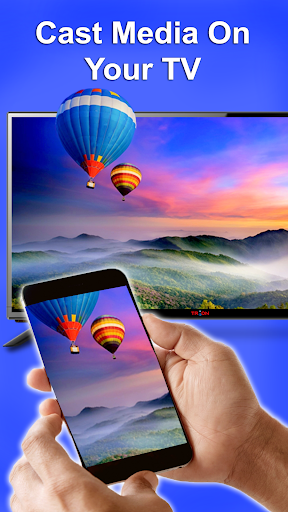
Screen Mirroring for Samsung Smart Tv helps you to cast your mobile media to bigger screen with ease.
Cast To TV|Samsung|LG|Roku TV enables you to cast all local videos, music and images to Chrome cast for Samsung smart TV.
Cast to Samsung TV: Chrome cast allows you to replicate your mobile device on your smart TV in real-time.
Its perfect for presentations, gaming, or simply browsing the web on a larger display.
Share your device screen with friends and family, making group activities and much more fun.Samsung TV Remote and Cast TV is ideal for:1.
Making an effective presentation in a business meeting .2.
Share fitness videos to home TV to help you work out better.3.
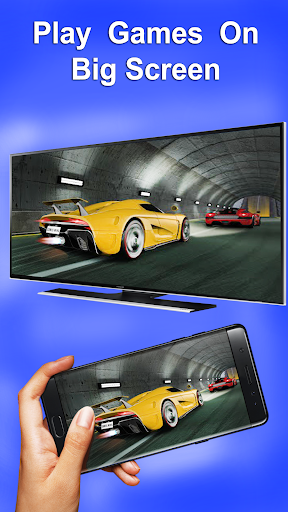
Mirror phone screen to TV, including games and other popular mobile apps.4.
Watch your favorite shows, movies and live channels on a bigger TV screen.5.
Cast your travel photos and live photos to TV at a family party.6.
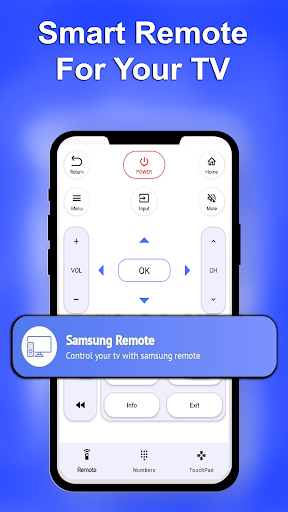
Remote Control all your tv functions with our integrated remote option on this app.With Screen cast for all smart TV app, your smart TV becomes the hub for all your multimedia content, making it easy to share.
Say goodbye to the limitations of small screens casting your favorite content on the big screen with Cast to Samsung smart TV cast app.Disclaimer: This app is not affiliated with Samsung Electronics or any other trademark mentioned here.
Chromecast is a trademark of Google LLC.
https://andro.io/app/chromecast-1l72x
 Power 100

Android app profile
Cast To TV|Samsung|LG|Roku TV for Android – Latest Version & Features
by Casting and smart view apps
★★★★★
(0 ratings)
Rate this app
How do you feel about Cast To TV|Samsung|LG|Roku TV?
Thanks for your feedback!
> 2.2k
Monthly Downloads
~$900
Estimated Cost
Screenshots









