
This application is used to check the rounding of a mesured value by using the error or uncertainty value.
In particular, it is intended for use in educational laboratory experiments where students perform measurements and have to correctly express their measured values.
Therefore, the application can help them to verify their results.
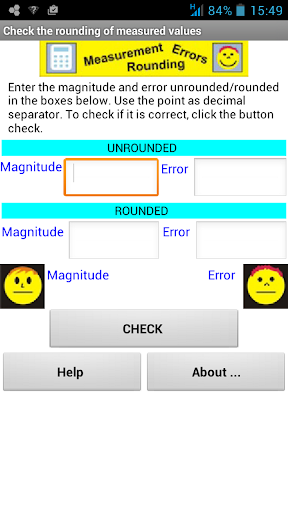
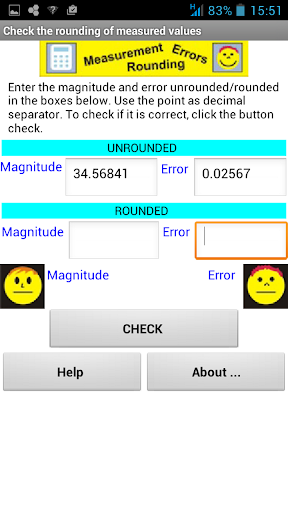
Here we describe its use.First, we introduce in their respective cells the values ??of the measured quantity and its error without rounding, i.e., as they were obtained through the experimental and theoretical procedure.
Both values ??must be in the same units, using the point as decimal separator.
In the following cells, the user must write the rounded magnitude and the rounded error.
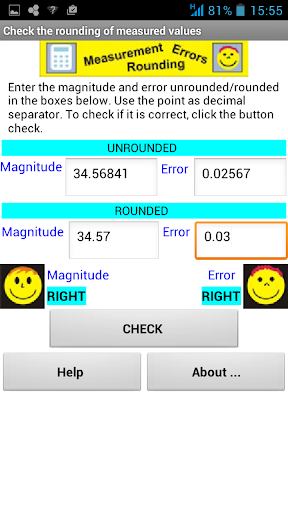
To verify that the error and magnitude are properly expressed click the "Check" button.
The display shows if both are correct.
The checking operation is made internally using a code written in Python that runs on a browser using Skulpt.
The code has been developed by Elena Diaz Garcia, Eduardo Cabrera Granado and Oscar Gómez Calderon.The application displays a brief summary of the rounding method("Help" button).
https://andro.io/app/checkroundingmeasurement
 Power 100

Android app profile
Check Rounding Measurement for Android – Latest Version & Features
by Oscar Gómez Calderón
★★★★★
(0 ratings)
Rate this app
How do you feel about Check Rounding Measurement?
Thanks for your feedback!
> 2.2k
Monthly Downloads
~$900
Estimated Cost
Screenshots









