
Is your smart TV fully utilized?
Do you want to view photos, watch videos, and listen to your favorite music not only on your phone, but on a larger screen?Now, our application Smart Cast can perfectly help you broadcast any file to your TV.
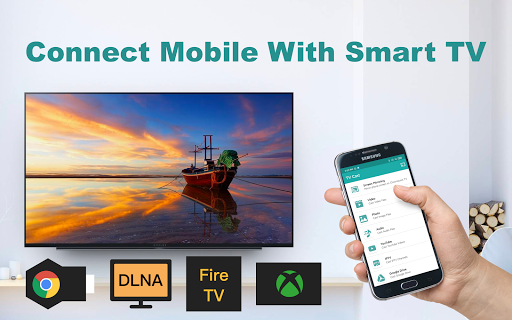
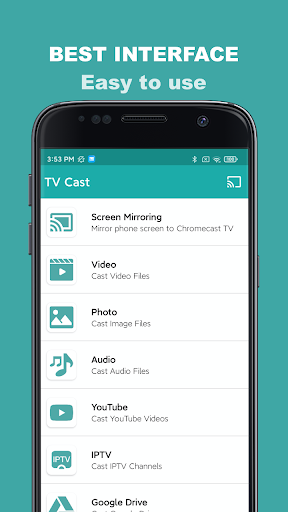
Forget about cables, flash memory and other unnecessary removable media!Smart Cast enables you to cast photos, videos and music on Samsung, LG, Sony, Hisense, TCL, Vizio, Chromecast, Roku, Amazon Fire Stick or Fire TV, Xbox, Apple TV or othe DLNA devicesFeatures of the “Smart Cast” application:• Screen Mirroring of your smartphone on Smart TV.• Clear transmission of photos and videos without compromising quality.• Mirror audio files and music without delay.• The ability to watch videos on YouTube, various films and clips.• Cast files of other formats, as well as broadcasting the desired documents from Dropbox and Google Drive files.All these features can be used as long as you simply click: download, go into it, select your smart TV, connect and enjoy!Just a few minutes of basic settings, the files are transferred to the big screen.Together with Smart Cast, you will appreciate the convenience of the application, the clarity of the interface and the work without delaysAs you can see, with our application you can connect and start broadcasting any media files today.
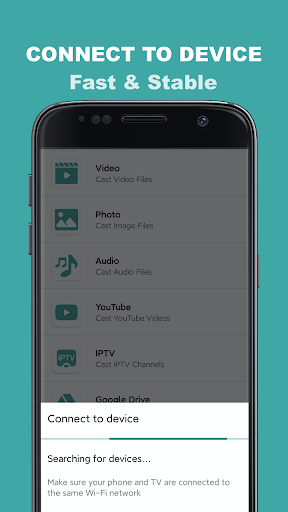
Only the convenience of the interface, the clarity of information transfer, high quality and ease of setup.We promise you a comfortable screen mirroring from your smartphone to Smart TV, the main thing is to make sure that you are connected to the same local network that your Smart TV is connected to.
Also, we do not recommend using multiple VLANs or subnets.
Enjoy your use!
https://andro.io/app/casttotv-ugqs
 Power 100
Android app profile
Smart TV Cast Screen Mirroring for Android – Latest Version & Features
★★★★★
(0 ratings)
Rate this app
How do you feel about Smart TV Cast Screen Mirroring?
Thanks for your feedback!
> 2.2k
Monthly Downloads
~$900
Estimated Cost
Screenshots









