
Watch online videos from your favorite websites including movies, TV shows, live streams of news, sports, and IPTV.
You can also cast local photos, videos & audio stored on your phone to your Smart TV.MAIN APP FEATURES• Video Web caster Browser build-in with auto grab media to Smart TV• Adblock build-in browser• Proxy streaming build-in• Wath online video, audio & media on your big screen Smart TV• Support hightest quality for streaming• Streaming your local file: Photos, videos & audios stored on your device• Build your own & watch IPTV & live channel on your TV• Powerfull Remote control for your streaming media.• Non-stop playing: our streaming keep playing even your phone disconnect with TV.
How to use1.
Make sure your phone and your smart tv are connected to the same Wi-Fi.2.
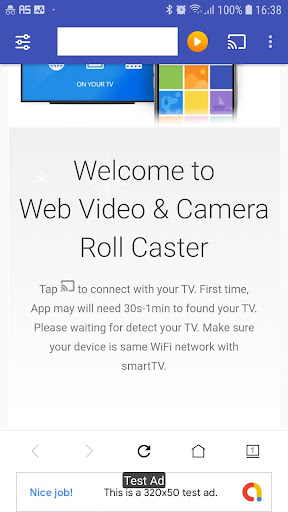
Tap cast icon on top right to connect with your TV3.
Browse to your favorites media site and tap play your media.
App will auto grab media to play icon on top for ready stream to your Smart TV4.
Remote & control your streaming media on phone & enjoy your favorites scence on big screen of smart TV.Cast to TVOur app support none-stop playing on smart tv even your phone disconnect with TV.
This app is the only one that supports this function so far
https://andro.io/app/caster-1dkol
 Power 100


Android app profile
Video Web Cast to TV for Android – Latest Version & Features
by AppBox, Inc
★★★★★
(0 ratings)
Rate this app
How do you feel about Video Web Cast to TV?
Thanks for your feedback!
> 2.2k
Monthly Downloads
~$900
Estimated Cost
Screenshots









